George_P
-
Posts
499 -
Joined
-
Last visited
-
Days Won
62
Content Type
Forums
Gallery
Store
Everything posted by George_P
-
Andy, The XT-4 has IBIS and fast focusing (if you are into sports photography). The XT-3 has no IBIS (you probably do not need that for landscapes anyway) and is getting a firmware update soon to improve focusing speed to somewhere near XT-4 (which is irrelevant for landscapes). The X-H1 has IBIS but is slower re. focusing speed and the X-T2 is without IBIS and with focusing speed similar to X-H1. All of them will give you the same (i.e. great) image quality. Also the X-E3, X-T30 etc. The newer ones have a few more Film Simulations but for landscapes you would likely use RAWS anyway. I would get the XT-3 (in my case keep the X-T2) and use the saving for a prime lens and C1 Pro. Of course, that is just me, there will be many other opinions for sure. Cheers.
-
Get the 50/f2 and keep your other lenses.
-
Hi Adele, The 18-55 is by no means a basic zoom. It is a very good lens, not like the “kit” lens we know from the DSLR times. I get very sharp pictures with mine. I think the first and foremost question is: what Shutter Speed do you have on the pictures that seem blurry ? Have a look and tell us pls. Also, is there perhaps a smear, a stain, like from a fingerprint, on the lens (look at both ends) or maybe even something on the sensor ? Do not tamper with the sensor, do not try to clean it if you don’t know how, don’t even touch it, you could easily damage it. Have your camera and lens checked in a specialist shop if possible. If you want to post some pics, you could put them e.g. on Flickr and post the link to them here. I am sure we can solve this and you will be very happy with your camera once we do, like the rest of us are. Cheers.
-
Nicolas, I have the Nitecore FX1 dual charger and I use it with a 2 Amps USB charger (Apple or other). It measures the temperature of the accus while charging and it works well for me. https://www.ebay.com/sch/i.html?_nkw=nitecore+charger+fujifilm&_sop=15
-
 Grandfather used to say, one is never wise enough, so we are all novices at different levels, aren’t we. A few things that maybe could help: NR at -4 is the lowest NR, I think. Why -4 ? Also, I think it only affects JPEGS, not RAWs. Do you shoot Fine+RAW ? Do you use some Post Processing software, which one ? Or are we talking about JPEGs ? You can make different versions in-camera and try out different settings after the shot. Did you not switch on Grain by any chance ? Don’t combine Grain with Acros, it has its own way of doing things. What is your setting for Sharpening ? How low is the light that you have in mind ? Are these long exposures ? Does Long Exposure NR become relevant or not ? Fuji is generally highly regarded for low-light capabilities and the look of low-light images. The grain is considered “organic” and “film-like” by many. Maybe you are doing something wrong. Anyway, I have the 35/f2 and it is a great little lens, esp. for the price. The 35/f1.4 is even better for low light (if the lower DOF is not an issue at 1.4), although slightly more expensive, bigger and focusing slower (which is probably irrelevant). Depends what you want to use them for. Let us know how you got on. Cheers.
 -
Is the Fujifilm X RAW studio essential to workflow?
George_P replied to UFObuster's topic in RAW Conversion Fuji X Photos
My 2 cents: ACDSee for DAM (file management) and C1 Pro. -
... and layers. I agree with mawz. And the paid version is also worth it for the layers feature and the intelligent masking modes (luminance etc.) They have very good tutorials, have a look.
-
OK mdm, I give up. I’ll dig out my father’s old Leica. I’ll have to get the shutter moving though, it is stuck by the dried up lubrication grease. 😀 Cheers my friend.
-
You say lots of people, but this is probably just a tiny percentage of all X-T4s sold. All brands and all types of cameras, DSLRs included, have had a certain percentage of faults, even the very best ones. You see posts only from users who have problems, that distorts the perception of the issue. And in this instance, most of these issues are probably caused by memory cards. And you are covered by warranty. The upgrades are not that often, you can always read what they address and decide if you want/need to apply them. And you can wait for some time to see if anybody reports some problems before you do upgrade. They are a welcome feature of Fuji cameras because they have brought many new features and improvements to the various models, adding to their value for their owners. A card reader is a useful thing anyway, regardless of upgrades. I have never had any issues ever with any Fuji gear.
-
12mm and 18-55.
-
Fuji X-T3 Focus/Discoloration Issue
George_P replied to Michael186's topic in Fuji X-T3 / Fuji X-T30
Two different lenses, two bodies, same problem ? This is interesting. Does it happen in Auto WB too ? Do you have some colour tint set in Manual WB ? (should not affect only a part f the image, I know) Why 6300K ? Does it not happen in MF, only in AF ? Is it there in the RAW or only in the JPEG ? If yes, what film sim ? You say certain lighting conditions, you are not using some artificial lights in these instances, are you. Not using any filter on a holder, the same one for both lenses, are you. Could this be just purple fringing on the contrasty edges as it is a fairly high-key image ? Scratch my head, dunno. Could you post some more examples ? Are these all similar images or does it happen in a variety of different scenes also ? -
 Beautiful images. Thanks for sharing !
 -
-
You’re welcome, Jerryy. 😀 Post the pics, Lakshmi, we will try to help you more.
-
I am sure no one is laughing at you. Not many of us have a GFX, neither do I, and I only just read this. Anyway, I am glad you worked it out. Share some pics ! Cheers.
-
RTFM. Read the Fuji Manual. Normally you would leave the ISO at 200 (unless there is not enough light) and adjust the exposure with Aperture and Shutter, depending on the DOF you want or whether you want to freeze movement of an object or not. Leave Image Preview on and you see the changes. Use the histogram. Adjust Shadows and Highlights to your liking and depending on the scene. Etc etc.
-
Disable Clarity.
-
🤦♂️ Grandpa used to say: “One is never wise enough.” There is always something new waiting to be learned, isn’t there. Good for you. I never had a screen saver with a border, all of mine were just a sheer film. Cheers.
-
This is strange, I never saw anyone complaining of the same problem with any model of Fujifilm cameras. Try resetting the camera and if it does not help (I don’t think it will), hopefully PayPal has got you covered. Bad luck. Great little camera. I hope you can send it back and get another one.
-
-
Do you have your camera in Auto mode ? Try to switch that off. On my X-T10 Auto does only jpegs. (I would prefer if the camera would do Raw or Raw+Jpeg in Auto because if you hand it to someone else to take a pic and you put it in Auto for that, you loose the possibility to correct the image in PP from Raw.)
-
Are you using electronic shutter ? Switch to mechanical.
-
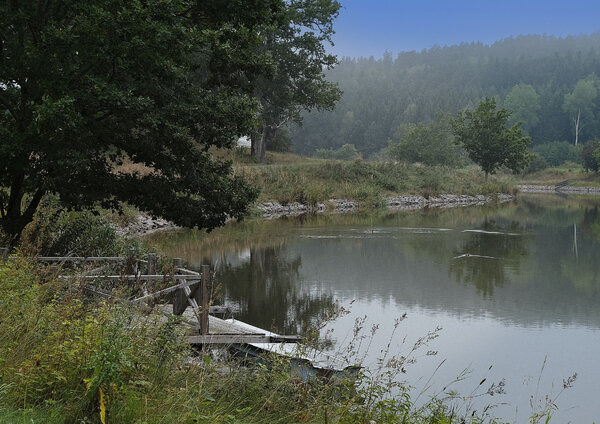 Beautiful. Wow. Chapeau! 👍👍👍
 -
-
ATTN Fujifilm... What have you done??? CEOs, and Bosses read please.
George_P replied to Kasumi3344's topic in Fuji X-T4
Well, you gave some resolute advice on SD cards recently so I presume you adhered to it. -
ATTN Fujifilm... What have you done??? CEOs, and Bosses read please.
George_P replied to Kasumi3344's topic in Fuji X-T4
I wonder why your opinion is so vastly different from the opinion of thousands of other Fujifilm users, most of whom have used other major brands and are in a good position to compare. Also, many of them are accomplished photographers and they are knowledgable and in a good position to offer relevant statements. Judging from your other posts, your experience and expertise is rather limited, I would say on a novice level, yet you do not hesitate to voice your opinions very loudly, do you. -
Stick with LR or switch to Capture One?
George_P replied to teaandcake's topic in RAW Conversion Fuji X Photos
This has been discussed many times already. You could read up on how to adjust sharpening in LR to get much better results with Fuji files than you get with default settings. But most people, me included, would say it is better to switch to C1. It is easy to learn, they have good tutorials. Have a look. The results with C1 are great. You will never want to use your old Canon camera, the difference in IQ is big. Try the free version of C1 for Fuji, then buy the Pro version with layers and enjoy. You can use it for your Canon files too. Tips: you can move the sliders with the scroll wheel on your mouse, double click a slider to return it to the default value, click on the name of the slider to temporarily see it at default value. Hover the cursor over film simulations in their scroll-down menu to see the effect instantly. Be sure to learn how to make intelligent selections with Luminosity etc. Switch to C1.