George_P
-
Posts
499 -
Joined
-
Last visited
-
Days Won
62
Content Type
Forums
Gallery
Store
Everything posted by George_P
-
I honestly have no idea. I hope our guru @Greybeard or @jerryy will chime in with something.
-

AWB on GFX 100s
George_P replied to Chiotas's topic in Fuji GFX 100 / GFX 100S / GFX100S II / GFX 100R
I don’t have that camera, but when there are various colours of light in the scene (like a sunset or various indoor lights) the Auto WB can be thrown off, that is normal I think. In these cases I use a fixed WB like “daylight” or “cloudy” or a Kelvin value. Also, look at Natural Live View. You can map that to a button and switch easily between that and your film simulation. At least on the X-T5 you can and I presume on your camera too. -
New X-T5 freezing when pressing display button
George_P replied to JoseDiaz's topic in Fuji X-T5 / Fuji X-T50
The usual route would be asking you which firmware version, what type of card, what settings (try a reset) etc. But there could be a bad batch of cameras, maybe a supplier delivered a bad batch of some components etc. Can you try a different SD card (and reset settings) ? Did you buy it on-line or in a brick-and-mortar shop ? Do you have the option to bring it in for checks or have it replaced ? Did you try the other SD slot ? -
You will find many reviews of the X-T5 but if you are interested in my 2 cents worth of an opinion then I love this camera. I think it is very good esp. for the things you shoot more. It can be rather small if you use the smaller lenses like the 27mm, 35f2, 50f2… great for landscapes, street and travel. Very customisable, wonderful controls where you can set up your main parameters by turning physical knobs - simple and fast. Very satisfying to use. I shoot manual all the time, using the histogram. Big choice of very good lenses, big and small, expensive and inexpensive. Weather proof, decent battery life. Fantastic image quality, Fuji colour magic. Some people claim that continuous tracking AF is not as stellar as Sony or Canon esp. for people zig-zaging with closed eyes in the shadow under a baseball cap but I couldn’t care less for that. For birds in flight you would probably be better off with a different camera but otherwise, for the things you do, very very good value for money and a real joy to use. Have a look at the user’s manual to see what it can do. You can also go and look into my photos in my Winter Landscapes topic but then you must give them all a like so reserve some time for that 😀. (Photos are resized by this site so you know... I can send you some full-sized RAWS if you want.) Cheers and let us know how you got on.
-
Bernard, I’ve never had this happen on my X-T10, X-T2, X-T5 and I can’t think of any settings that could cause this. What camera (I presume X-T5), what lens, which firmware versions ? George
-
XT-5 AF Mode ALL Rear Command Dial Not Working
George_P replied to g2iSite's topic in Fuji X-T5 / Fuji X-T50
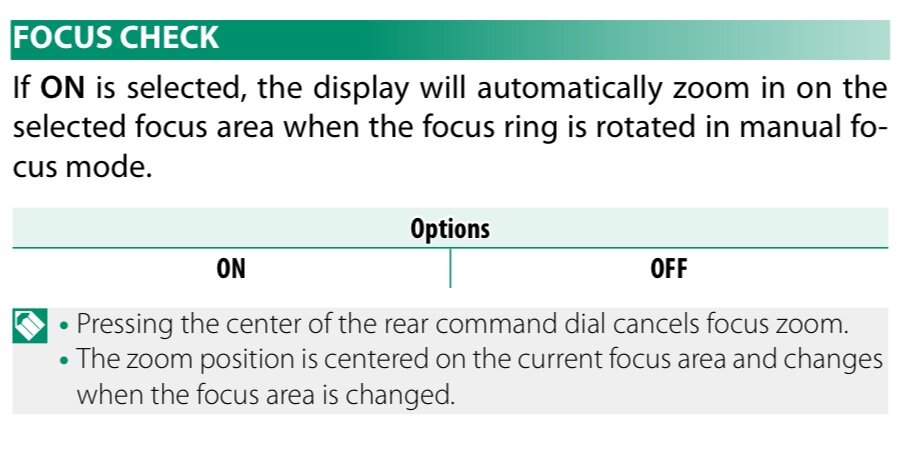
It is not the same problem. The OP was talking about switching focus points modes (single point, zone, wide/tracking). If you mean zooming in to the focus point by pressing the rear dial, that works only in S and M, not C afaik. Otoh Focus Check is this:
-
XH2-S flash recommendation
George_P replied to casadresden's topic in Fuji X-H1 / Fuji X-H2s / Fuji X-H2
A pleasure. Let us know how you fare. -
I think I saw a post somewhere about hacking the file with the firmware to change the version number in its header, thus making it possible to revert back to an older version. Google it if you are interested.
-
XH2-S flash recommendation
George_P replied to casadresden's topic in Fuji X-H1 / Fuji X-H2s / Fuji X-H2
With my Godox V860 II F, Li-Ion Accu half charged, @1/1 power the recycling time is less than 3s, not slowing down. (I tried a series of 30 shots). @1/2, less than 1s, again 30 shots. No issues. I could try the AD200 as well but that will likely be faster. I use them with the XProF remote and I am very satisfied with the system. I am no pro though, just an enthusiast, YMMV. Maybe you can try one out before you decide. -
I see no such behaviour in natural light. Sorry, I can’t help you. I don’t have the 33, though. Please let us know if you find out what is going on. Good luck.
-
A pleasure.
-
Tomaz, do you see the flickering indoors with artificial lighting, or also outdoors in natural light ? When I am at low f numbers e.g. 1.4, 1.8 with a shutter speed e.g. 1/125 and with a scene lit by a fluorescent lamp @50Hz (a simple lamp without an intelligent driver, for example Helvar, that operates at higher frequencies), I see this “flickering” in the EVF like you do. That is caused by the interaction between the frequency of the light source with the EVF refresh rate. You can use Flickerless Shutter Speed Setting to eliminate this effect.
-
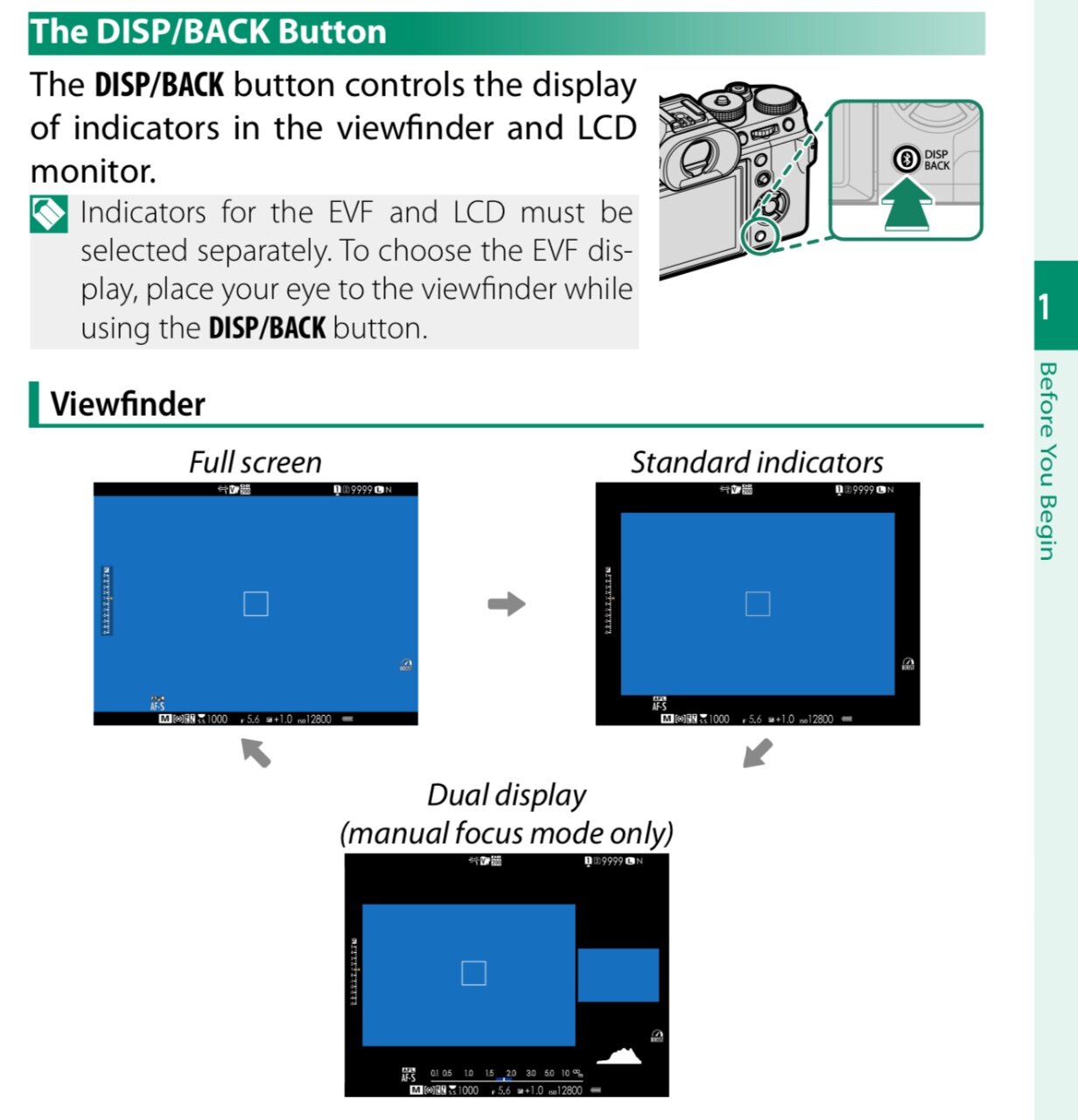
Welcome to the forum. Try the Disp/Back button.
-
Provi spegnere la stabilizzazione della ottica se il suono finisce. Che tipo del suono, é questo ? É rumoroso o silenzioso ?
-
You are welcome, @BIGOAK, sir. We have just scratched the surface here, there is a lot more to it.
-
The 16” M2 Pro 16/512 is a little over 2K € NOS here in Slovakia incl. 20% VAT which gets refunded of course if you buy as a company. When you mention the enclosures, @jerryy, for 40MPix files perhaps the 10Gbps enclosures are better because they are plenty fast IMHO and they spend less power (about 200mA as opposed to 500mA for the 40Gbps ones, for the ones I have measured), so when you run on battery that makes a difference. Fewer charging cycles, longer battery lifespan. Maybe they are plenty fast for 100Mpix files too, perhaps someone can chime in with their experience. But talking about the 10Gbps ones, you may just as welľ buy a Samsung T9 which will be equally fast and maybe even cheaper, depending on what NVMe drives you happen to have at hand. Also, you could connect the drive to a hub with its own power supply, but they usually charge the computer full time through the Thunderbolt port so if you are a purist and want to cycle your battery kindly, somewhere between 20-80% to prolong its life expectancy, the hub will disrupt your strategy. 😁 But do not despair, Acasis makes an eclosure/minihub which takes external power from an USB charger but does not charge the laptop so you can charge that extra to your heart´s content. Maybe automate that through a smart plug based on battery level events. 😁 A beautiful world we have, don’t we. Computers are great, they help us solve problems we didn’t have without them.
-
X-T30II shutter button loose before it activates focus
George_P replied to brixx's topic in Fuji X-T3 / Fuji X-T30
I had the X-T10 - “two step”. I have the X-T2 - “two step” and X-T5 - “three step”. I was annoyed at first but now I don’t even think about it. I got used to it. -
I’d say M2 Pro 16/512 should be sufficient and good value if you find one. 32 would be better (as Jerry said, less swapping, that also means longer lifespan of the SSD). Pro for the fan, like Jerry said. 16” rather than 14”. M2 Max or the newer M3 versions, more RAM, bigger SSD … all welcome of course, depending on the budget. I use the 16” Pro M2 Max 32/1 with C1 and the machine stays fast, cool and quiet no matter what. External 40Gbps NVMe enclosures are a thing.
-
Grzegorz, Go to the Networking Setting in your camera menu (the last one at the bottom - unless you have a My Menu then that is the last one). There, go to Network Setting and choose the SSID (name) of your WiFi network, type in the password, choose "SET". If you have a functioning DHCP server on your network, the camera should get its IP address (and Subnet_Mask and Gateway). If not, you can enter these manually. It is a little tricky, there will be some zeros already here, move the cursor after the zero and use DEL to delete it and make space in the input fields for your own correct values. If you do not know what to enter, have a look at values in the network settings of your computer and use the same except for the IP address, try some fairly higher number, hopefully you hit an unused one. Usually the values would be something like IP: 192.168.1.188, Subnet Mask: 255.255.255.0, Gateway IP: 192.168.1.1 or something like that, take clues from your computer. The camera and computer must be on the same network. Then in Connection Mode on the camera, choose Wireless Tethering Fixed. And half-press the shutter to exit the menu and get in shooting mode. The red LED should be blinking. If you can look at your network devices, e.g. on your router, you should see the camera there. You can see check the camera settings in the camera menu in the INFORMATION item of the Network Setting menu to see the MAC address of your camera and look for it in the list of devices on your network. Then use the tethering in your software, e.g. in Capture One. The camera may not show immediately, take a shot and then it should show in the list of available cameras. Good luck. Report back how did you fare. PS If you have a Windows machine, you need to have Bonjour installed and running. Macs have it.
-
What GordW said. You have to put the drive mode dial to "S" - Single Frame. If you have it on CL, CH, BKT or Panorama (or HDR), the Multiple Exposure option will be greyed out in the shootng menu. On my X-T5 it works in RAW + JPG and also in JPG only. When Multiple Exposure is switched on, the image quality cannot be set to RAW only. If it was set to RAW only before switching Multiple Exposure On, image quality defaults to RAW+Fine. The result is JPG. After each shot press MENU/OK and after the last one press DISP/BACK.
-
The latest version that I updated to was V4.20 (I did not do V4.40 yet). In case you want to try, here is the file that I had downloaded from fujifilm-x.com on July 24th, 2018 and that I successfully used to upgrade my X-T2, with its original filename. FWUP0010.DAT (copy the link and put it in a new browser tab)
-
Fujifilm XF 56mm F1.2 R WR vs. Sigma 56mm F1.4 DC DN lens
George_P replied to TumblingTiger's topic in Fuji X Lenses
I've put a heap of pics made with the 50mm f2 into the Winter Landscapes topic recently. This site resizes them to 1280pix wide so you cannot really judge the lens from those but in full size the sharpness and detail is great. I love that lens. -
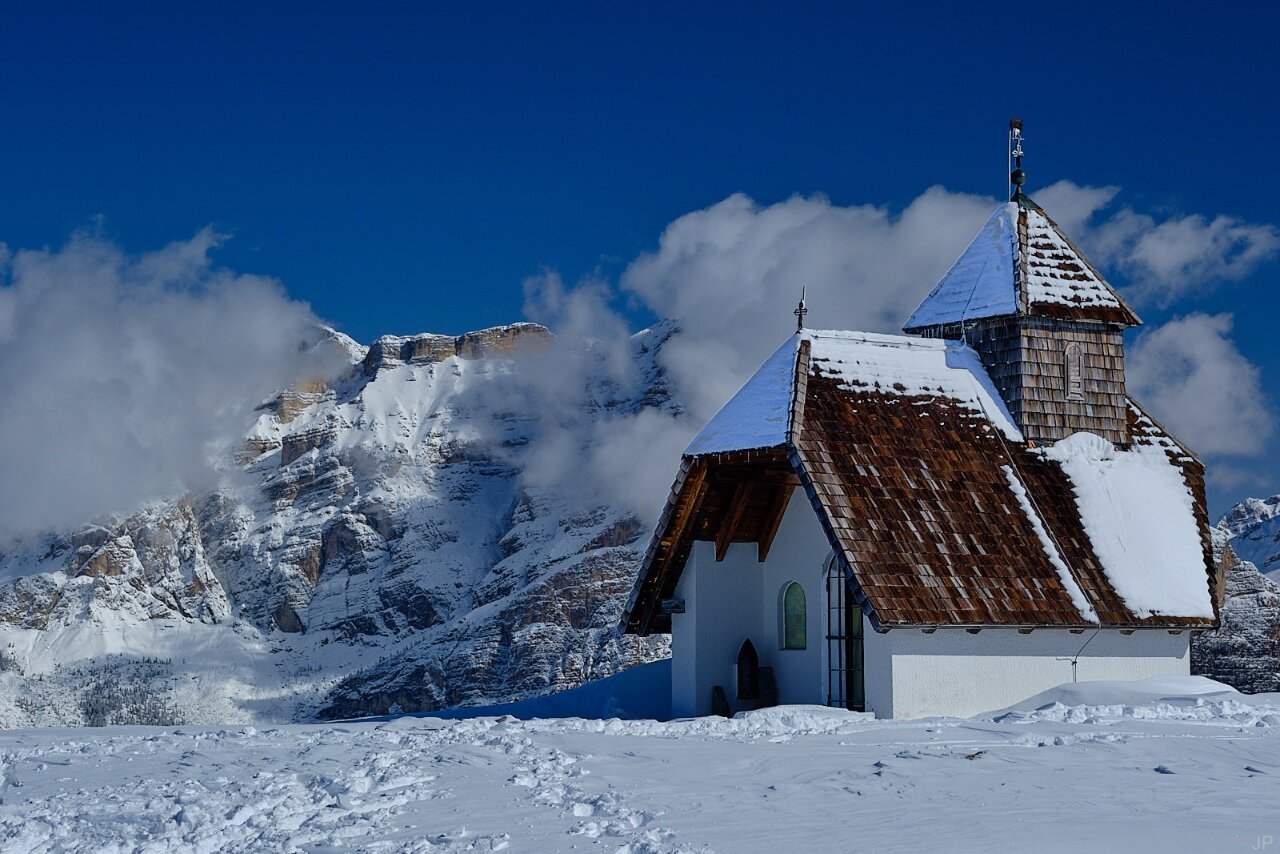
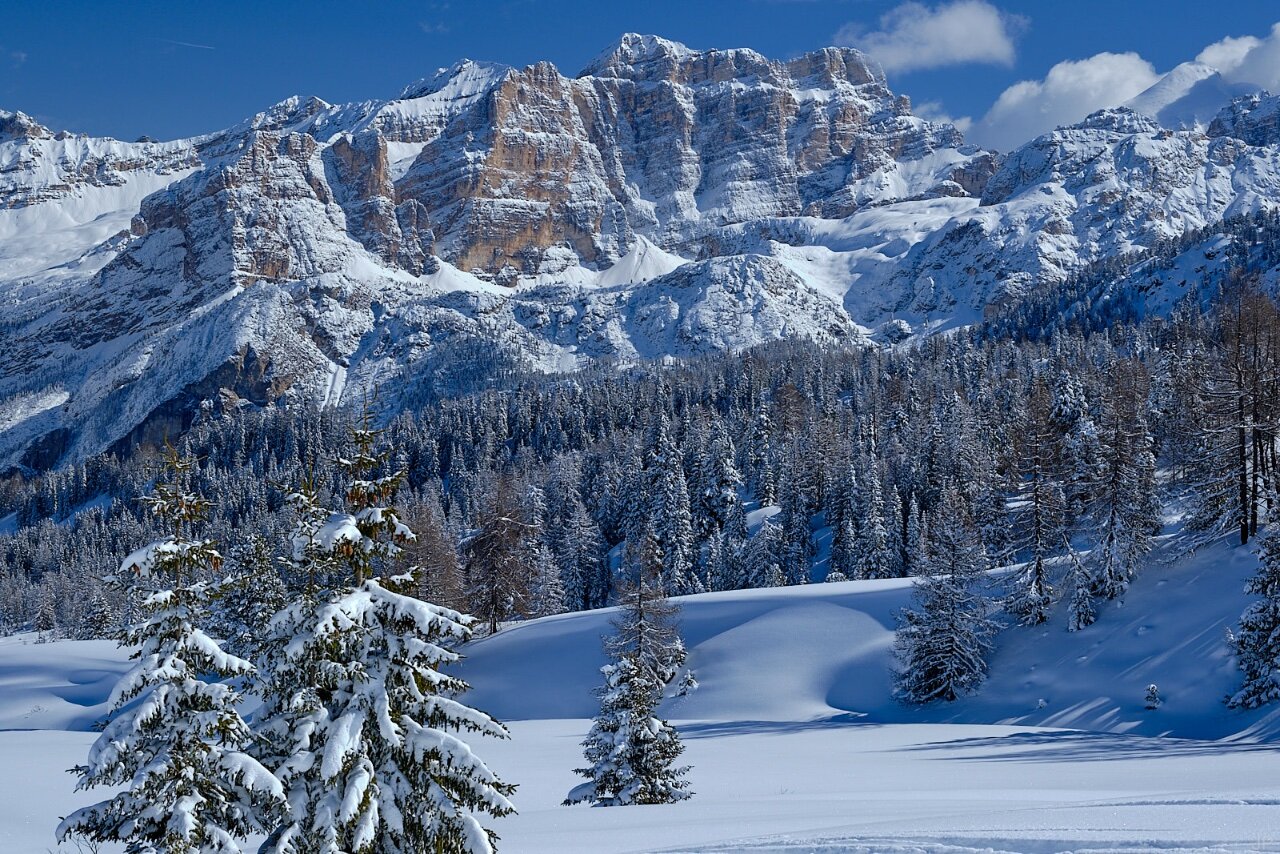
You wanted some mountains, Jerry, but I reckon by now you have had enough of them. Cheers, my friend.