jerryy
-
Posts
1,926 -
Joined
-
Last visited
-
Days Won
304
Content Type
Forums
Gallery
Store
Everything posted by jerryy
-
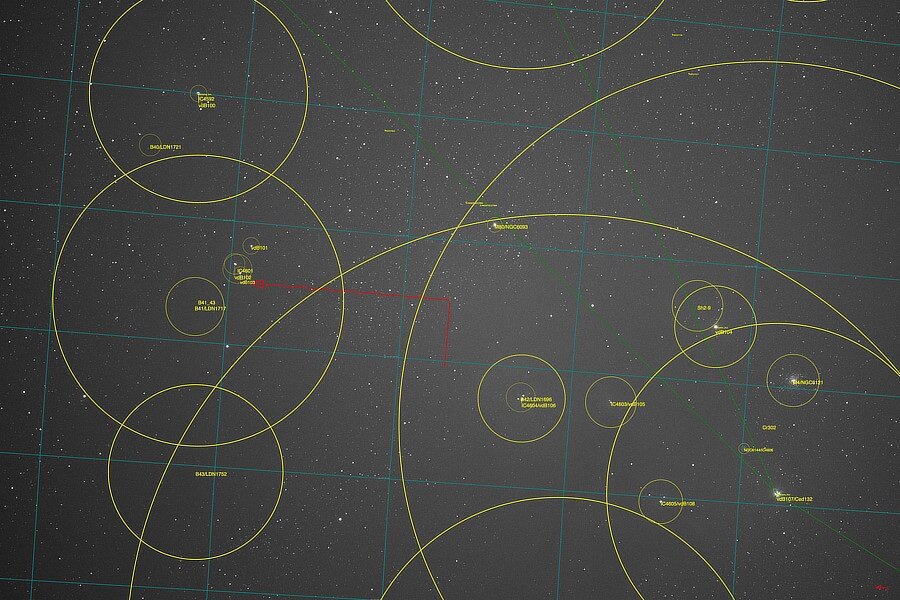
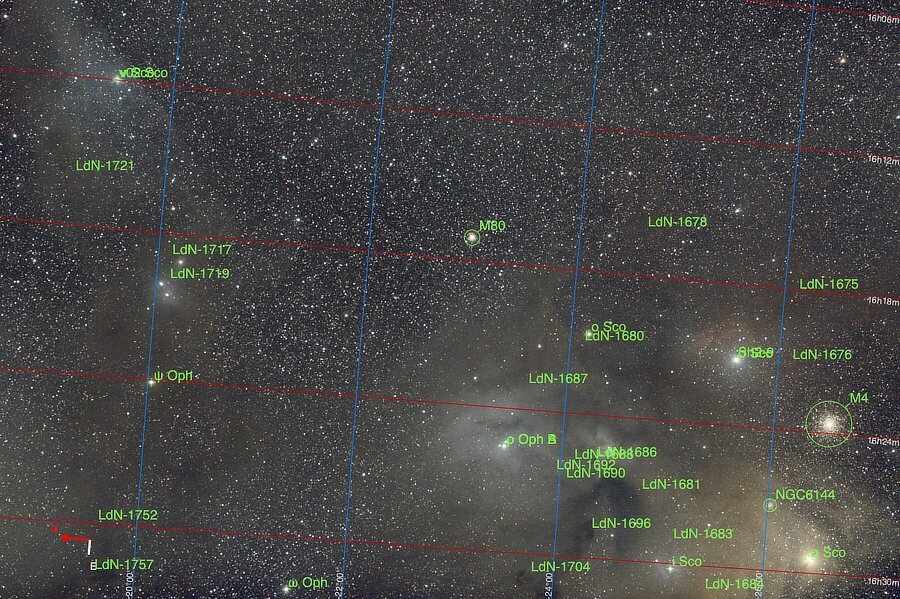
Summer Color... In winter, Orion puts on wonderful color displays. Its nebulae make it well worth freezing your batteries off to get the beautiful images. But, …, it is not the only show in town and other winter season nebulae demand their share of your viewing time. What about summer? Not to worry, there is plenty of sky color as well. Scorpius leads the way starting in late Spring: Part one of two.

-
Option b. but the shutter speeds will start at 1/125. What you are describing is a setup for using mostly automatic rendering by the camera, just one step away from being in “P” mode. For any given scene, the camera will try to expose the image as best it can within the min and max allowed auto parameters you put in. Depending on how bright things are at the time you try to get the image, the other settings may not change at all, or if you go from a bright to a dark setting, the ss and iso may change wildly, all trying to get the best exposure for that given aperture f-stop. If you wish to ‘force’ the ss and iso to change you need to manually set them as well.
-
Your metering may be fine, usually there is not a lot of difference being displayed on the lcd or evf when changing metering mode, except for using spot metering in very high contrast scenes. Some more things to check: Interlock Spot AE & Focus Area turned on: https://fujifilm-dsc.com/en/manual/x-t4/menu_shooting/af_mf_setting/index.html Preview Exp./WB In Manual Mode on or off: https://fujifilm-dsc.com/en/manual/x-t4/taking_photo/shooting_mode/index.html In the displays there should be an exposure indicator meter, and you can turn on the histogram to display as well. These will give you a better idea of your scene(s)’ exposure. If you point the camera towards a high contrast scene, maybe a tv showing a movie, and cycle through the metering modes, the lcd and evf will seem to not change much —— the exposure meter and histogram will change, once you get to spot metering depending on where you move the focus point, you will get some changes. The exposure indicator and histogram will definitely change. If you find that your screen is consistently over or under exposed compare to the jpg, you can adjust the brightness settings to make the two match better. This will have no effect on the raw file.
-
In the original message, @cyns mentions that the shots are in focus when using the phone app as a remote. If this is still happening and if using a wired remote also gets in-focus images, there may be a problem with the top plate controller board messing up the half press to focus, full press to image sequence. Can you try back button focusing and see if that makes a difference? https://fujifilm-x.com/en-us/exposure-center/back-button-focusing-all-you-need-to-know/
-
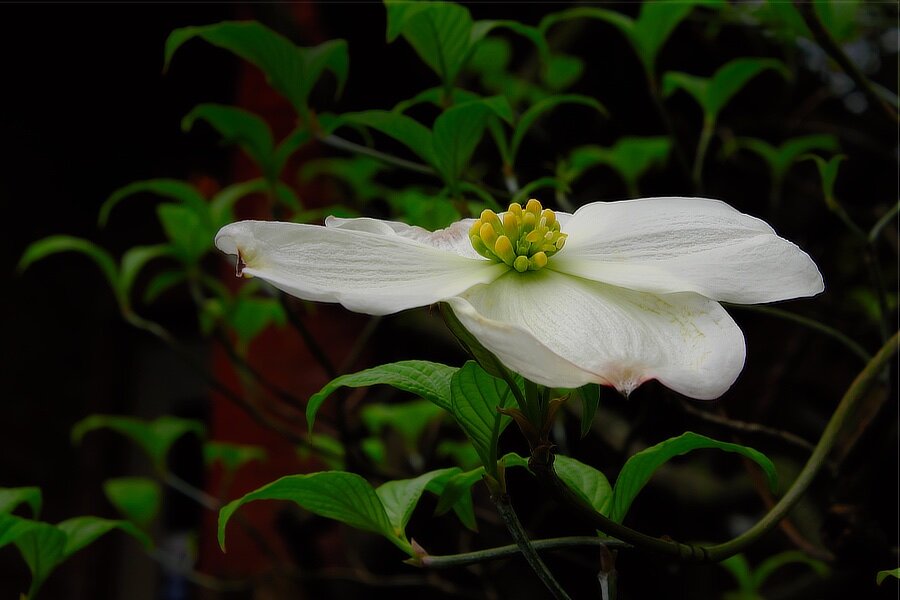
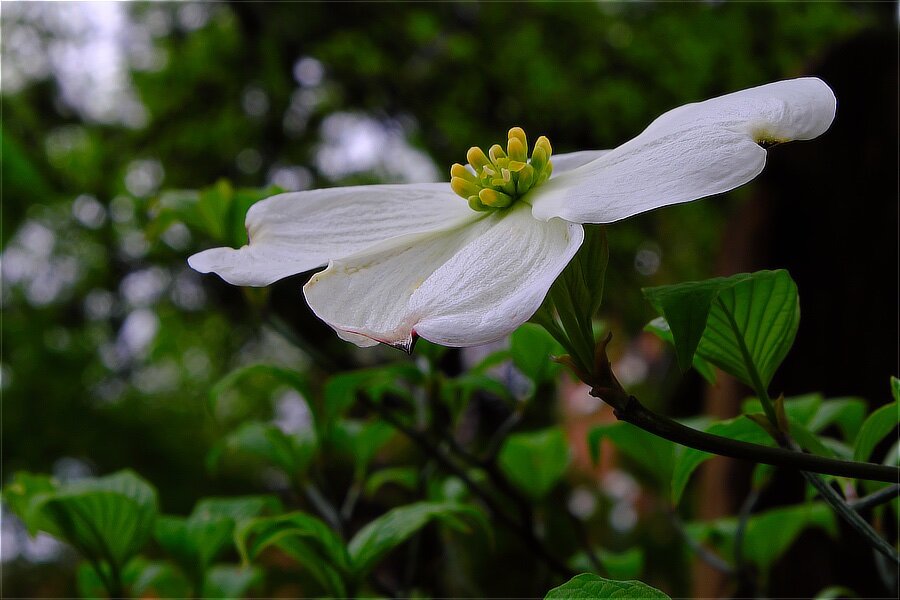
Dogwoods. Dogwoods are like Poinsettias, in that the outer part (the white parts on these) are actually leaves. The flowers are the small yellow tipped green parts. Or so I have been told.
-
Not all red filters are the same, there will be a difference, if only a slight one depending on which red filter you are thinking about. Remember these are simulations, so the camera (or raw converter) will always apply the same processing to the image, but the filter is slightly different, even each time you put it on the lens, screwing it on just a little differently each time which will affect how the light is passed to or blocked from the sensor. But it will be close. If you want some fun, find a Pentax K1000 film body ~ $200 or so on the used market, a roll or two of Fujifilm Neopan 100 Acros II film ~ $15 or so a roll and some red filters ~ usually less than $50, some much less than $50, and try it. (All prices are in U.S. dollars.) note: color filters do get used on dslrs and mirrorless cameras but their use is usually limited to specialized settings or experiments because image processing tools can duplicate the view easily.
-
Do you have natural live view turned on? https://fujiframe.com/articles/natural-live-view That will affect what you get in the evf and lcd. p.s. Welcome to the forum.
-
Does this: https://www.fujirumors.com/lastest-firmware-introduces-autofocus-bug-to-fujifilm-x-t5-x-h2-and-x-h2s-annoying-but-easily-fixable/ have anything to do with what you are getting? Fujirumors says a fix should be coming in the July -August time period.
-
That camera has not been out for very long, so the usual third party sellers do not have any replacements available yet. Be very careful about trying an older NP-70 replacement, it is a slightly different battery than the NP-70S and has different voltage requirements; using the older battery type may damage your camera. Because it is so new, you may be only, for the time being, able to get replacement batteries from the Instax folks, or they would know where to direct you to be able to get them. Best wishes and welcome to the forum.
-
In between comas... This is a region of space in between Coma Cluster and Coma Berenices. On the left is the Coma Cluster. A lot of times 'cluster' is used to name a grouping of stars, but the Coma Cluster is a grouping of galaxies. On the right is the Coma Berenices, an asterism. This one is a tale out of Egypt. Supposedly, someone bargained for their husband's safe return from a war. He came back, so she whacked her hair off and gave up the golden locks. They were placed in the stars, an eternal symbol, known to those that tell the tale. This is the equivalent of some few seconds less than 44 minutes of exposure. https://science.nasa.gov/missions/hubble/nasa-hubbles-sweeping-view-of-the-coma-cluster-of-galaxies/ https://www.underthenightsky.com/constellations/coma-berenices/ Some of the notable sights in this region include: The Needle Galaxy, NGC 4565: https://apod.nasa.gov/apod/ap240606.html The One Armed Spiral, NGC 4725: https://apod.nasa.gov/apod/ap150416.html An Intermediate spiral, NGC 4559: https://en.wikipedia.org/wiki/NGC_4559
-
-
Have you considered the many 150mm - 600mm options? Fujifilm offers one that does work with both the 1.4x and 2x tc. If you want one that has brighter f-stops, then Tamron and Sigma offer them in various mounts. You can pair them with oh, say a Fringer smart adapter (or one of Fringer’s competitor’s smart adapters) and get aperture dial control as well as having correct EXIF stored in the images. There are plenty of reports these adapters work with teleconverters, I suppose you can write the adapter’s manufacturer and ask if it matters if you use camera -> xf tc -> adapter -> lens or camera -> adapter -> native lens tc -> lens. Depending on the budget, you may be able to find a setup in the new or used market you like.
-
Are any other settings reverted back to a default state as well on restarts? Also, are any other MF Assist options reset back to the split image state when the camera is restarted? If these happen, it could be a hardware problem, as in if the first answer is ‘yes’, the chip storing the settings or the “back-up” battery is bad. If the second answer is ‘yes’, the cell in the chip holding that setting’s storage area may be bad. Based on what you and @Greybeard are saying, it does not sound like a general firmware / software issue, it could still be a firmware issue just for this camera — the firmware update just did not install all the way.
-
I do not have a X-T5, but I am wondering if maybe you have activated the Dual Display setup: https://jmpeltier.com/fujifilm-manual-focus-assist-modes/ scroll down to the Dual Display section. It does use a split screen approach and will let you also use focus peak mode and then go back to split screen after a restart, at least that is what the article implies anyway.
-
You do have some options. If you want to use Apple’s Photos to take care of storing, managing the files and lightweight editing but want to also use an raw converter / editor with more “oomph”, you can do that as well: https://support.apple.com/en-us/102259 scroll down to the part about “Install Mac apps …”. Affinity Photo comes to mind: https://www.youtube.com/watch?v=R2Zt1NDfC7E https://affinity.serif.com/en-us/photo/ DarkTable, a raw convertor also has a dam built into it, you might like it. This program has a steeper learning curve than Photos does, but it is very powerful: https://www.darktable.org If you are inclined to do a little more asset management yourself, RawTherapee or Fujifilm’s Raw Converter are pretty good: https://rawtherapee.com https://fujifilm-x.com/en-us/products/software/raw-file-converter-ex-powered-by-silkypix/ p.s. Welcome to the forum.
-
Small point (newbie who might be going mad...)
jerryy replied to macleodal's topic in Fuji X-T5 / Fuji X-T50
I believe you are looking at the X-T3 manual instead of the X-T5 manual. X-T5: https://fujifilm-dsc.com/en/manual/x-t5/about_this_camera/parts/ See parts 4 and 19, which are the shutter speed dial (4) and the Still/Movie mode dial (19). X-T3: https://fujifilm-dsc.com/en-int/manual/x-t3/about_this_camera/parts/index.html Same numbers, but (19) is the Metering dial. p.s. Welcome to the forum. -
Perhaps try a different brand of sensor wipes and fluid. (Uh, I am not not trying to start a brand wars discussion, so I will just use the term different brand.) Once upon a time a bug flew down my telescope and landed on the sensor and left a trail where it walked around that looked similar to what you are seeing. The trail only showed at certain f-stops. I could not get it cleaned off after using a lot of wipes and fluid. My local camera store person recommended trying a different brand. One pass with a dry swab (the usual approach for the new brand) and one pass with fluid and the mark was gone. I did use more pressure on the swabs than before. If the mark is on the sensor or on the inside of the protective glass, it would have been there from the start. This will need a trip to the service center to fix, but it can be fixed.
-
You really caught that Turkey Vulture at just the right moment! Very well done!
-
-
Added in: I ran a quick check using an image folder from a small astro project I am working on. The folder contains 101 X-T30 full size raw image files, each file’s drive storage size is 55.9 MB. These were all converted to FITS format using Siril, an astro-photography image processing program. It reads each image into ram, converts it into FITS format and writes the converted file back out to disk, the converted files will be used for actual processing. So, for 101 55.9 MB raw files ---> 101 52.1 MB FITS files, Siril reports that it took 3.68 (3,68) seconds to process all of the files in the folder. I am fairly certain the 10 Gb NVME enclosures can handle the larger 200 MB GFX files without any troubles, of course the 40 Gb enclosures can as well. https://siril.org
-
I use a USB 4 NVME enclosure with a Samsung 2TB SSD, but I just about always, but not completely, use it connected to a desktop computer. The SSD itself is faster than the USB or Thunderbolt ports can transfer data, this is true for just about any NVME SSD, but that is not a problem, the data is moved back and forth as fast as the computer can handle it, later I can give you some more concrete ideas but roughly turn several hundred X-T30 full raw files into FITS format and process them as fast as you please. I use a handful of SDXC, etc. cards out in the field, it is easier than worrying about connecting cables and stuff in a hurry. The T9 and other 10GB enclosures should be pretty good, those are no slouches at handling data.
-
🤭 🤣 That one ranks up there with your saying from long ago: “Read The Fuji Manual”.