jerryy
-
Posts
1,926 -
Joined
-
Last visited
-
Days Won
304
Content Type
Forums
Gallery
Store
Everything posted by jerryy
-
Welcome to the forum. You have a lot of options. You can use the X app (iOS / Android) to connect your phone or tablet and use it for basic settings: https://fujifilm-x.com/global/products/software/xapp/ If you get a basic wired remote release, you can get your camera settings ready and use the remote as a shutter button. You need to hit the switch yourself though at all intervals to get the complete sequence. Fujifilm has the RR-100 https://fujifilm-x.com/en-us/products/accessories/rr-100/ Or, a basic Canon remote release works as well. A more advanced remote release version such as one of the Vello Shutterboss II versions gives you essentially full control over timed and interval shooting, there is a version for older Fujifilm bodies I do not know if that will work with your X-T5, but the ones with the basic Canon connector — same one the RR-100 has does work. The only drawback is that you need to be in bulb mode, so you have to use the mechanical shutter (in bulb mode, the electronic shutter is limited to one second exposure). Even more advanced, as long as your computer / laptop can run astronomy — astrophotography programs such as KStars/EKOS, you can connect your camera to your computer as have EKOS fully operate things. Sitting in the background is something called libgphoto2 which talks to supported cameras and allows you turn on or off various settings and capture images. Your X-T5 is one of the supported cameras. Other astro programs may support your camera as well, you will have to check. Show us some images! p.s. If none of these options are amenable to what you are looking to encounter when you set up to get the images, try setting the camera to take some several extra shots in the sequence and start shooting early. Then just discard the first few empty images, the remaining ones should have no camera shake. p.p.s. And if you wish, when you are setting up the camera’s parameters for interval timed shooting, one of the last options is a delay time before starting the sequence, set it to one or two minutes. This should give the camera enough settle down time.
-
Beautiful!!! These are well worth the wait; more, more, more please. Even if we have to wait until July! These are incredible George.
-
Winter's Days ... have gone bye. Forward Spring!

-
That camera is so new, that, right now, there are probably not a lot of members that have one yet. As far as IBIS goes, noisy sounds is commonly reported in cameras from every manufacturer that includes it in the bodies. Usually it turns out that unless you are hearing the noise followed by dust and camera bits falling out of the body, there is nothing to worry about, some quiet noise is normal.
-
Which lens are you using? That makes a difference in how you can set the options. Since you mention an aperture ring, it sounds like you are using a XF type lens. There is a little switch on the XF lenses that have an A mark and a symbol mark. If the switch is set to the symbol mark, the ring controls the f-stop (aperture). If the switch is set to A, the body can set the f-stop. Hopefully, this link helps: https://jmpeltier.com/change-aperture-fujifilm-x-cameras/
-
That is item three (3). https://fujifilm-dsc.com/en/manual/x-t20/about_this_camera/display/index.html p.s. Welcome to the forum.
-
Welcome to the forum.
-
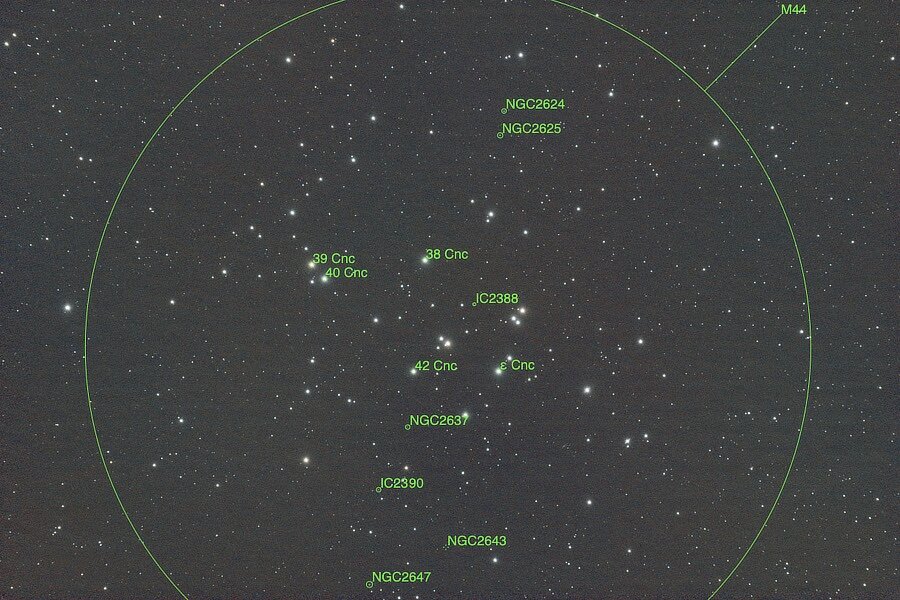
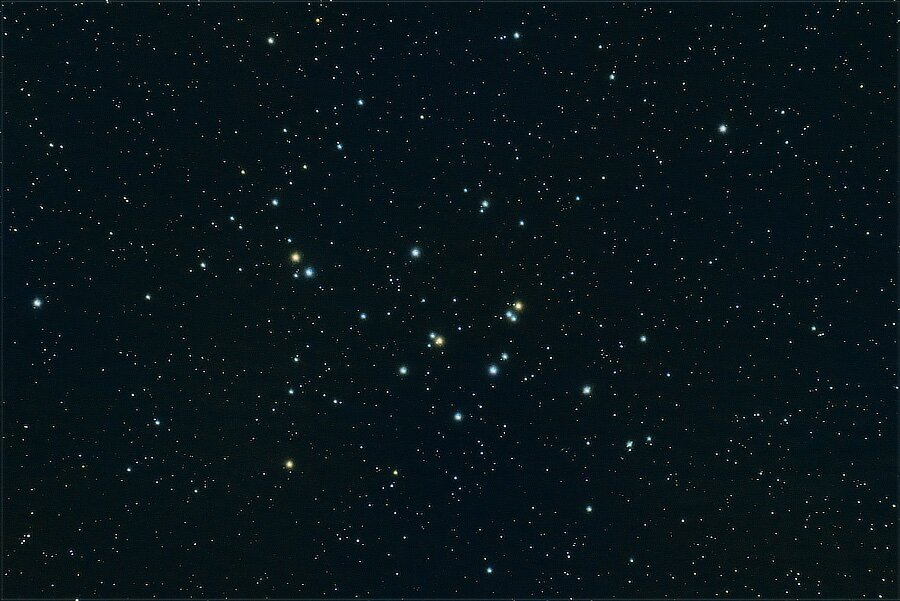
Busy as a bee… Not far from Castor and Pollux in Gemini, actually just in the next constellation over to the “left” in Cancer, is Messier Object M44, The Beehive Cluster: M44 is fairly easy to find visually or when using binoculars or small telescopes. This is the equivalent of 58 minutes of exposure. https://science.nasa.gov/mission/hubble/science/explore-the-night-sky/hubble-messier-catalog/messier-44/ https://www.galactic-hunter.com/post/messier-44 https://www.constellation-guide.com/praesepe-m44-the-beehive-cluster/
-
AF-C + backbutton focusing + spot photometry + wide/tracking
jerryy replied to hayate's topic in Fuji X-T5 / Fuji X-T50
This sounds like something, that if you really wish the folks at Fujifilm to take another look into the issue, you should gather your thoughts into written explanations and send to their development teams. You have a good start already. -
AF-C + backbutton focusing + spot photometry + wide/tracking
jerryy replied to hayate's topic in Fuji X-T5 / Fuji X-T50
There is the option of shooting manual exposure. I know, I know, that is not always a favored approach. It sounds like the half shutter press will give you the fastest response time for the cases when your subject(s) are moving quickly from dark to light to ... p.s. just to check, toggling INTERLOCK SPOT AE & FOCUS AREA on / off has no effect? https://fujifilm-dsc.com/en/manual/x-t5/menu_shooting/af_mf_setting/ https://www.dpreview.com/forums/thread/4163800 -
If it was stuck, the contact cleaner and nudging probably could have gotten it working again. The cleaner may still work, but it sounds like maybe a quick trip to the local camera repair shop is more likely to get it back in complete working order. Sorry about that.
-
AF-C + backbutton focusing + spot photometry + wide/tracking
jerryy replied to hayate's topic in Fuji X-T5 / Fuji X-T50
Welcome to the forum. I could be mistaken about this, but you are supposed to be able to change the settings for the function buttons (afl ael, etc. are called function buttons) from their defaults. https://fujifilm-dsc.com/en/manual/x-t5/shortcuts/function_buttons/index.html One of the available choices is to assign both focus lock and exposure lock to the back button focus button. -
Do you feel the switch move when you press it? That switch can be sticky, do you have any contact cleaner? p.s. Welcome to the forum.
-
How are setting the flashes to fire? M only turns on / off the auto focus routines, some lenses can still override this depending on how they are set. It is possible this switch is messed up and affecting other parts of the camera routines. Shooting in raw or jpg or whatever has no bearing on that preview setting, it is there to how you what the ambient light is doing so you can make needed adjustments.
-
XF 18-55 aperture ring changing aperture even when is Auto
jerryy replied to MATL's topic in Fuji X Lenses
That much override should not happen. I guess you get to choose whether to just live with it or try to find out if it is the lens or the body. -
Arrgh! That you are using flash is very important information, the screen will definitely turn dark for those settings. Try this video: https://www.youtube.com/watch?v=gmVxAmEWYRk You need to turn the preview exp./wb setting to OFF or Preview WB. This setting affects what you see in manual mode.
-
XF 18-55 aperture ring changing aperture even when is Auto
jerryy replied to MATL's topic in Fuji X Lenses
When you do this, does the f-stop go through the full range of available choices or does it only change by one or two stops, then goes back to being Auto? In other words, can you move the f-stops from say f2.8 to f22 or does it just change by a stop or so before going back to Auto? If you can move the full range, then something is odd, but if you can only change a little, then that is normal. -
What @abmet said, more information please! Try this, set the ISO to 6400, the shutter speed to 1/250, and put the lens’ aperture switch to A. Go outside during the brightest time, around midday or early afternoon and see what you get. The f-stop should be a large number, the lcd should show you the scene. It could be a little dark. Then try moving the aperture switch back, set the f-stop to wide open and try again. The image on the lcd should be brighter. There is a setting to dim the displays’ brightness, https://fujifilm-dsc.com/en/manual/x-t5/menu_setup/screen_set-up/ that may be affecting what you are (not) seeing.
-
Unable to set my XT30 to P mode, but able to switch M & A
jerryy replied to Bachu's topic in Fuji X-T3 / Fuji X-T30
Did you move the lever (below the shutter speed dial) to Auto? https://fujifilm-dsc.com/en-int/manual/x-t30/basic_photo/photo_take/index.html The person in the video you list does say to do that, but his mention is very brief, more of an off-hand remark from which he then jumps to explaining how to set other cameras up that it would be easily missed. p.s. Welcome to the forum. -
It is possible to turn the LCD off, https://fujifilm-dsc.com/en/manual/x-t5/about_this_camera/display/index.html#choosing_display_mode Does toggling the display on / off reset it?
-
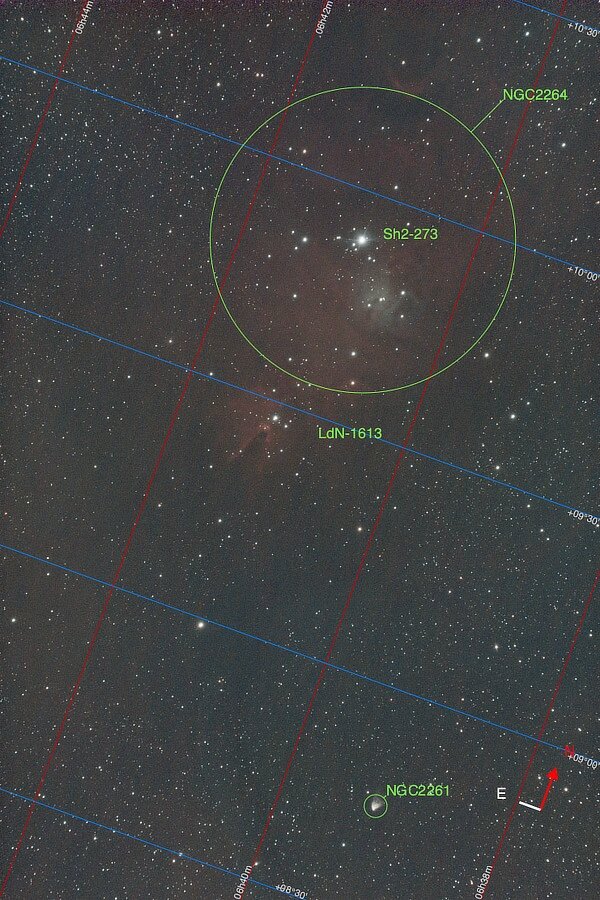
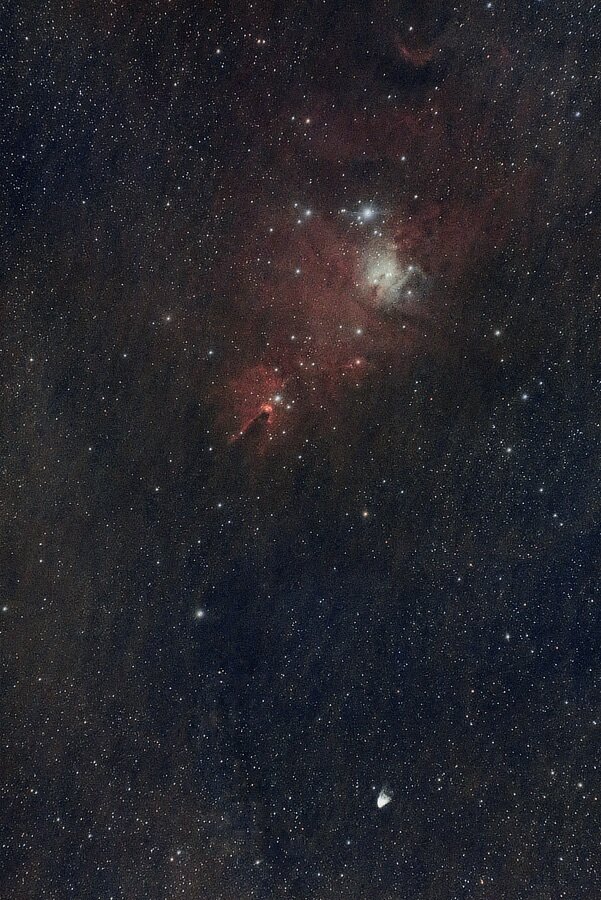
Orion has plenty of interesting parts to see; nebulas, bright glowing stars and whatnot. Orion is not the only neat thing in that part of the sky, the Rosette Nebula is close by and it is certainly neat to see. But there is also a Cone, a Christmas tree and a little variable thing as well. This is the equivalent of 112 minutes and lots of change worth of exposure. NGC 2261, Hubble’s Variable Nebula is named after astronomer Edwin Hubble, who also has the big space telescope named after him: https://hubblesite.org/contents/media/images/1999/35/904-Image.html The Cone Nebula, NGC 2264, is actually much larger than the part seen above, the part in the images is what gives it its name: https://www.constellation-guide.com/cone-nebula/ NASA had some fun with the Christmas Tree Cluster (The batch of stars in the “lower” part of the Cone Nebula), they rotated the image upside down — or right side up if you view it in the land down under — x-ray colored the nebula green and animated the Cluster’s stars. They have a player on their page: https://www.nasa.gov/image-article/telescopes-illuminate-christmas-tree-cluster/
-