

Jump to content

Recommended Posts

Hey my Name is Moritz and I´m from Germany!

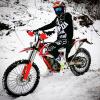
This Topic is - who would`ve guessed it - for sharing images of your ride.

I hope you like this quick Snapshot I just took of my Bike.

It certainly isn´t a Piece of Art but more or less just a Topic-Opener (thou the Name seems to be quite fitting for this Forum ;))

Welcome, dear visitor! As registered member you'd see an image here…

Simply register for free here – We are always happy to welcome new members!

Link to post
Share on other sites

  • 4 weeks later...
  • 2 weeks later...

My 2014 Roadstar Silverado.   Miss Behavin' airbrush art in the style of WW2 aircraft nose art.  One of the first photos I took with the X-T1 with 18-55 kit lens.

Welcome, dear visitor! As registered member you'd see an image here…

Simply register for free here – We are always happy to welcome new members!

Link to post
Share on other sites

  • 3 weeks later...
  • 2 weeks later...

A Corgi parachutable scooter.  


This one was a post war version, but was based on the Welbike used during the invasion of Italy and at D-Day.  On view at RAF Cosford Air Museum.


Welcome, dear visitor! As registered member you'd see an image here…

Simply register for free here – We are always happy to welcome new members!

Link to post
Share on other sites

  • 2 weeks later...

My new bike's picture , taken with X-T1 and 56mm.

And some other bikes and the same camera and lens.

11822842_10153548809704549_2530628380709


Ducati Monster

Welcome, dear visitor! As registered member you'd see an image here…

Simply register for free here – We are always happy to welcome new members!

11813448_10153548809289549_2661477949274


Triumph Thruxton


11816862_10153548810084549_7971120399724

Link to post
Share on other sites

  • 7 months later...
  • 2 months later...
  • 2 years later...

Create an account or sign in to comment

You need to be a member in order to leave a comment

Create an account

Sign up for a new account in our community. It's easy!

Register a new account

Sign in

Already have an account? Sign in here.

Sign In Now
  • Posts

    • Jerry Thank you very much. That is extremely helpful. It seems that the camera and the lens have the latest firmware update, so it appears that the corrections should be applied automatically. The lens arrived this afternoon and I took some quick test shots, in which the correct lens information appeared in the EXIF files, so that sounds good. I used Adobe DNG converter to convert the Raw (RAF) files, and then opened the DNG files and saved them in PSD format. However, with a beautiful, clear, cloudless blue sky, there were no lines near the edges to check if distortion had been corrected. Another day I plan to photograph a brick wall. Thank you for your help.
    • Typically you need to make sure the lens is compatible with the camera, i.e. check the lens compatibility charts for your camera, then make sure the respective firmwares are updated so older issues are resolved. After that, each lens has a manufacturer’s profile which will be embedded into the raw file meta data for the images captured using that lens. From there, it is up to the raw conversion software to apply the lens correction to the image. Different converters do that differently, some automatically, some only if a setting is turned on. For in-camera jpegs, the on-board converter does the corrections automatically, assuming the camera recognizes the lens, it applies a generic profile otherwise. I do not know if that can be turned off or not.
    • How does one make sure that Fuji's image correction is turned on to correct barrel and pin-cushion distortion on a GFX 100 or GFX100S when using the GF20-35? Is it only applied to the jpegs and not to the raw files? (I was surprised to discover the barrel distortion on the GF 35-70mm lens.) I normally shoot in raw with jpeg back-up and use the raw files, which I convert either in Affinity Photo 2 when editing with that program or in Raw File Converter Ex 3.0 by Silkypix if I wish to process the image in Photoshop CS6. (Adobe DNG is also a possibility.) Thank you for the help. Trevor
    • Welcome, dear visitor! As registered member you'd see an image here…

      Simply register for free here – We are always happy to welcome new members!

    • Welcome, dear visitor! As registered member you'd see an image here…

      Simply register for free here – We are always happy to welcome new members!

×
×
  • Create New...
