x-tc
-
Posts
250 -
Joined
-
Last visited
Content Type
Forums
Gallery
Store
Everything posted by x-tc
-
When (?) will we have a Fujifilm X-pro-2 “ relic” version?
x-tc replied to milandro's topic in General Discussion
Well to their credit they do give you an iPad. So there is that. -
Milandro, You are right. That is weird and thanks for clarifing you observation with scoop.it.
-
Quota for daily "like" button usage ... please increase :-)
x-tc replied to Watcher24's topic in General Discussion
1000! Wow. Those aren't likes, that's a love fest! It's Woodstock all over again. Thanks Admin. The responsiveness and moderation here is outstanding so far. Much better than other places which I shall not speak of. -
This is likely because Fuji tweaked with the film simulations between x-trans I and x-trans Ii. Scroll to Color analysis between x-e1 and x-e2 in this article. http://www.fujivsfuji.com/x-e1-vs-x-e2/
-
Splotchy colours in Lightroom - X-T1
x-tc replied to benjaminthomson's topic in RAW Conversion Fuji X Photos
I don't think Maurice meant any offense. I think we are just trying to understand what you meant. I agree it would have been best if you just explained it directly. I still don't really understand what you meant. Hoping to learn more. I'm sure there is a logical explanation. Although I must admit, most people would agree that exposure compensation for reflective metering is quite counter intuitive. "I should overexpose for the snow??? Say what??" -
Splotchy colours in Lightroom - X-T1
x-tc replied to benjaminthomson's topic in RAW Conversion Fuji X Photos
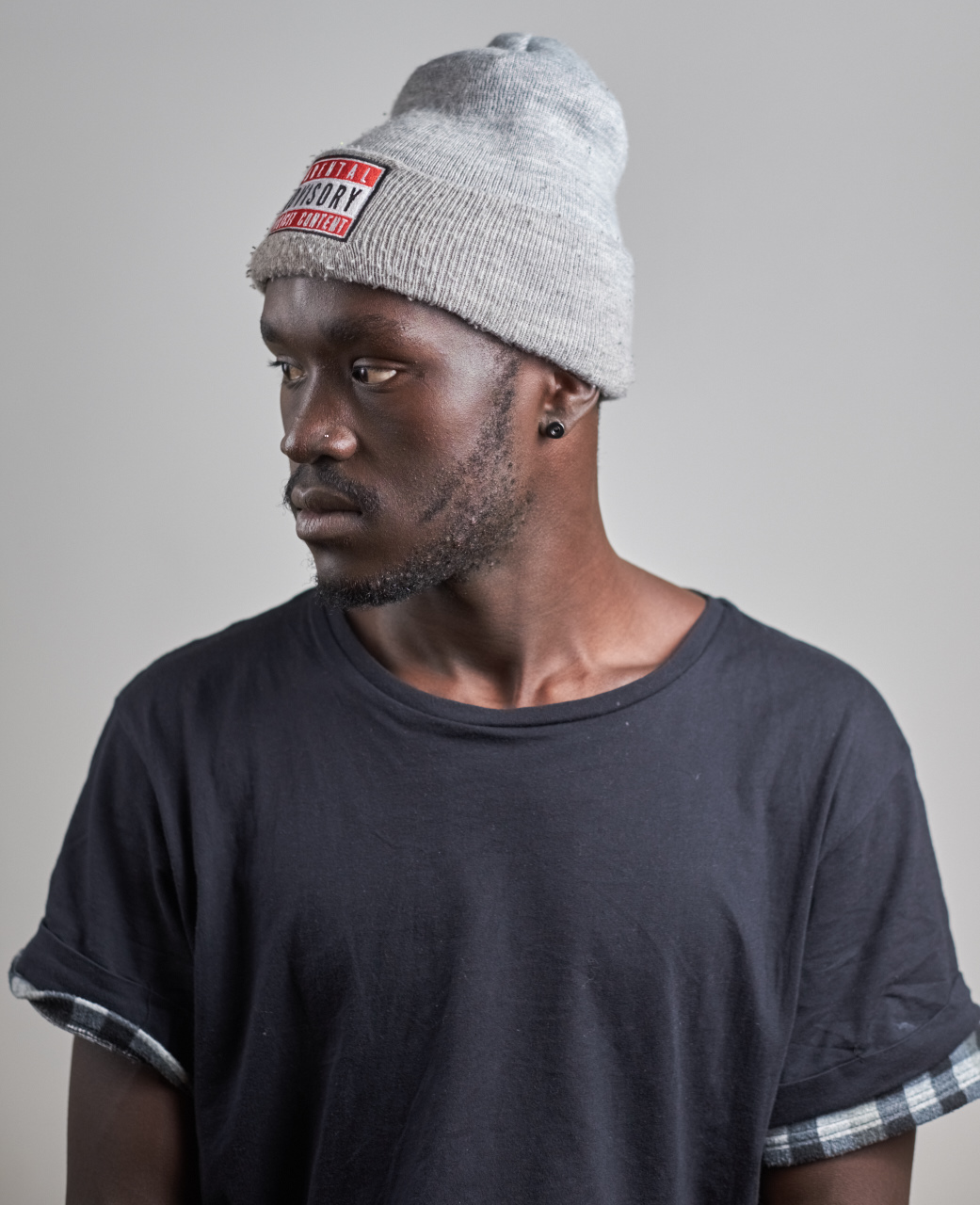
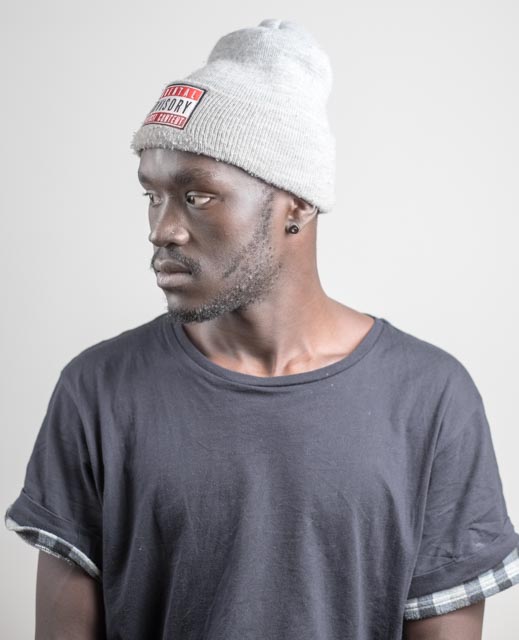
Your lighting is fine. Did you use an incident light meter? Looks like your key is up high and due to fall off is blowing the gray hat if you metering further down like under the chin. If you simply chimped or used histogram off the camera to ETTR, then here is an example of why you don't want to do that. Your highlights are gray, not white. The hat and the white background due to fall off. Mono Histogram if fine all you want to do is avoid clipping, but you really don't know if you mapped the tones correctly if you are just looking at the mono histogram on the camera. If you were thinking the white background would be your highlight, then throw some background light on it. Otherwise, it's going to be gray due to fall off and position of key relative to the model vs background distance. -
Splotchy colours in Lightroom - X-T1
x-tc replied to benjaminthomson's topic in RAW Conversion Fuji X Photos
Rico,I'm sorry I don't understand so I'd have to disagree. Reflective light meter always try to provide values which move your target area to medium gray. I.e. Zone V. Thus they overexpose for dark skin and dark clothes. Raising from zone IVish to V. In contrast, They under expose for light skin and light clothes. Lowering from Zone VIish to V. In short if you use reflective metering then you should underexposed if pointing the meter at something dark, and overexposed if you are pointing to something light to map the tone correctly. The camera meter has no ideas what it is looking at in most cases. It just wants to move whatever you are pointing at to middle gray. Neither does LR it appears. CP1 appears to be smarter and actually looking at the colors to detect the skin tones. It would seem. -
Splotchy colours in Lightroom - X-T1
x-tc replied to benjaminthomson's topic in RAW Conversion Fuji X Photos
Which version of C1 did you use? I saw the Moire pattern in 8.2 and I still see it in Maurice's CP 7 express post. Look for yellow and magenta color moire pattern on the face zoomed up. Similar to this:http://www.dpreview.com/forums/thread/3285146 -
TMI
-
Milandro, Great post. There is one additional difference I can think of when considering a camera for theater use besides AF speed in low light and that is the need for and ease of getting into spot metering mode. Also spot metering that tracks the focus point location instead of being always in the center might be useful.
-
Splotchy colours in Lightroom - X-T1
x-tc replied to benjaminthomson's topic in RAW Conversion Fuji X Photos
Ben, Sorry, I don't have any advice on how to avoid it. Just have to know what to look for and how to correct it. However, it sounds like Silkypix may have detected it automatically and applied the correction for you based on your original post. Although it looks softer than LR. Did you make it softer in Sillypix or did it do that all on it's own to try to eliminated the moire? I'm surprised to see it that soft "out-of-the-box". -
really a personal decision. There are pros and cons like with any lens There is NO right lens for everyone. Only you can weight them based on your shooting habits. You know yourself best. What's right for me is likely not the case for someone else. This is why Fuji makes different lens. Think it through, prioritize the pro and con and I am sure you will find the solution that is right for you. Don't limit yourself to just the X-T1 + a lens as the only solution. There may be other solutions that might work better for your unplanned walk around habits. Good luck.
-
Splotchy colours in Lightroom - X-T1
x-tc replied to benjaminthomson's topic in RAW Conversion Fuji X Photos
Apple Aperture: Moire adjustment didn't even touch the issue. Its looks VERY pronounced, much more so than LR or C1P. Auto Exposure, button did the right thing and lower exposure by 1/3 stop. No auto shadow/highlights feature in Aperture so those were untouched. -
Splotchy colours in Lightroom - X-T1
x-tc replied to benjaminthomson's topic in RAW Conversion Fuji X Photos
Capture One Pro 8.2 "Auto" adjustment:
-
Splotchy colours in Lightroom - X-T1
x-tc replied to benjaminthomson's topic in RAW Conversion Fuji X Photos
LR CC "Auto" adjustment:
-
Splotchy colours in Lightroom - X-T1
x-tc replied to benjaminthomson's topic in RAW Conversion Fuji X Photos
It was interesting to see how different C1P and LR handled the 1/2 stop overexposure of this shot. I'm guessing "multi" auto metering program in the X-T1 got it wrong due to the model's dark skin and dark shirt. When I hit the "Auto" button on each tool to fix this, I got completely different results. - C1P got it mostly right! It decreasing exposure by 1/4 stop and increasing highlight recover to 70. Shadows mostly left alone. Contrast it did not touch either. - unfortunately, LR went completely in the other direction, overexposing it even more by a 1/3 stop and increasing shadows to +50 to get the skin and dark shirt to middle gray. At least it did attempt to recover the highlights with -50, ore may just trying to get that to middle gray too. It also dropped contrast to -25. What we end up with is something very flat and wrong exposure for a dark skinned person in a black shirt with a gray hat. The hat is still blown out to boot. LR just looks like it is trying to make everything midtones and middle gray. so it seems that C1P know quite a bit more about what it is actually looking at in the scene before it makes a decision to work exposure. I would not doubt it if they had some algorithm to detecting various skin types. We have a result with lots good contrast, and no overexposure. Dark skin and shirt below middle gray as it should be. I'll post the result show you what I am talking about. -
Splotchy colours in Lightroom - X-T1
x-tc replied to benjaminthomson's topic in RAW Conversion Fuji X Photos
I see the same pattern in C1P v8.2. Its even worse using Apple RAW engine via the Preview App. If I increase the Moire reduction to 80, in C1P v8.2 the problem goes away. Using LR CC Adjustment Brush (K) in the Develop module also works.. seems to go away at Moire set to about 50. -
X100S FW updates.
x-tc replied to Erez's topic in Fuji X100VI / X100 / X100S / X100T / X100F / X100V / Fuji X70
Most every camera company is losing money right now. Glad to see there are people who recognizing this fact and understand why it is important for Fuji to be profitable. -
I was wondering how long it would take for someone to bring up Steve Huff. LOL. made it all the way to the first reply.
-
If you have ever considered the MHG-XT or XT-Large that appears to help keep down the problem.
-
I think we will have an answer soon. Watch what happens to the XE2 price after X-T10 hits. That should be quite telling of what their plans are in terms of market positioning and firmware AF update plans for the X-E2. A cheaper X-T10 in the form X-E2 (w/ AF update) does not make sense to me. An X-E2 w/ AF update at the same price as X-T10 does not make sense to me either as it may affect X-T10 sales. Only thing that make sense to ME, is a reduced prices on existing X-E2 stock w/o AF update. Updating firmware on X-E2 will affect secondary market price values, which is not something that I think would be a good thing for new X-T1 AND T10 sales. People are already have enough problems deciding between X-E2 and X-T1. Holding back Af update on X-E2 will create further market separation between X-T1, X-T10 and X-E2.
-
my trust is based on historical credibility.
-
efikk, In some ways X-T10 controls are improvement over X-E2 buttons. For example, instead of a multiplexed "drive" button we now have a dial with direct access to all drive modes without multiplexing. In some ways less, for example there is no more dedicated AE button to multiplex between metering modes. However, I guess you could program one of the other functions buttons on the 4 way or the dedicated function button on the back to take the place of the "AE" multiplexed button. Also, I am not yet sure what the "Auto" switch does next to the Shutter dial? Does it simply put camera into full Auto/Programmed Exposure mode? I guess that could be useful at times if one need to make a quick shot with no time to change the direct exposure controls. I guess we won't find out until later. Other than a dedicated multiplexed AE button to switch between metering modes, are there any other missing buttons or controls which make you believe X-T10 is lower than X-E2 what could not be replaced by the programmable 4-way or the dedicated fn button on the X-T10?
-
Wilson Fisk looking at this painting of "Rabbit in a Snowstorm"?