jerryy
-
Posts
1,926 -
Joined
-
Last visited
-
Days Won
304
Content Type
Forums
Gallery
Store
Everything posted by jerryy
-
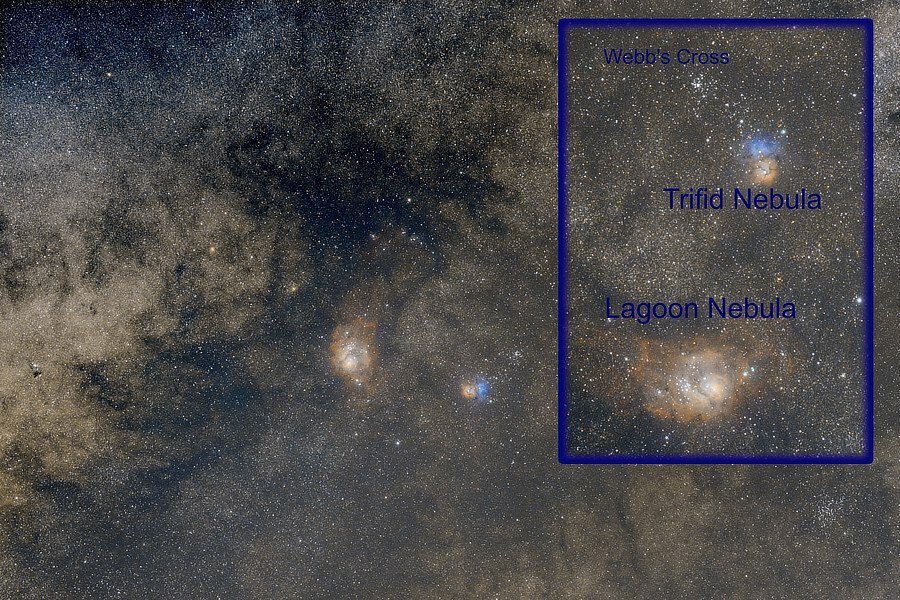
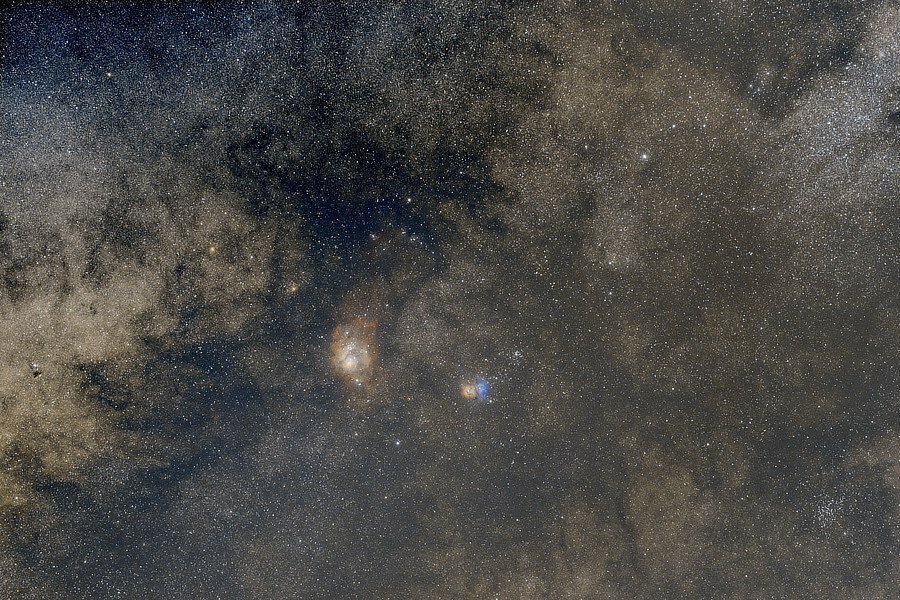
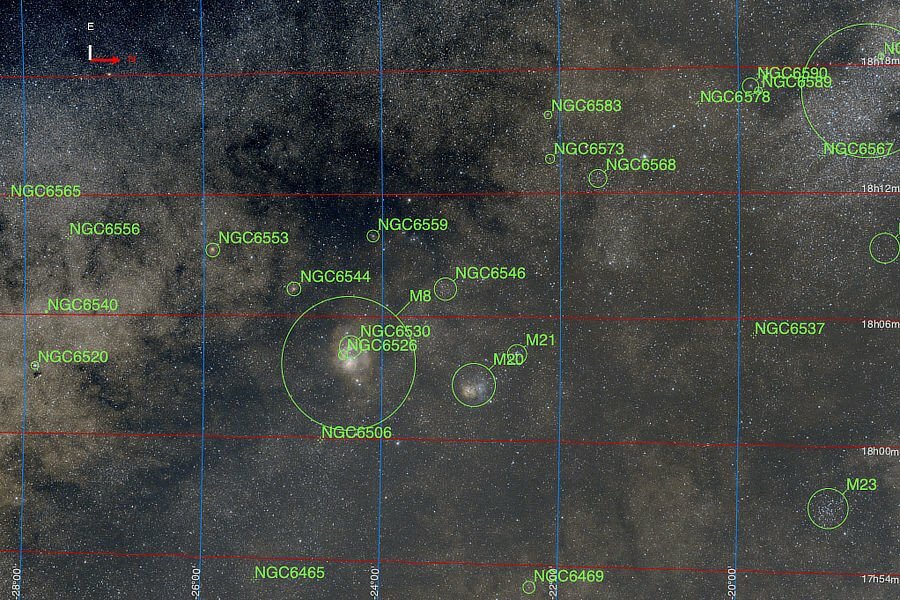
Messier and Messier and Messier... Smoke from wildfires has cleared some more. Locally, it is getting late in the season for seeing these nebulas, they are dropping closer and closer to the horizon this time of year, but they should be visible for a while yet, especially in the more southern latitudes. This is the equivalent of just under 25 minutes of exposure. The Lagoon Nebula, Messier Object M8: https://www.nasa.gov/feature/goddard/2017/messier-8-the-lagoon-nebula The Trifid Nebula, Messier Object M20: https://www.nasa.gov/feature/goddard/2017/messier-20-the-trifid-nebula Webb's Cross Star Cluster, Messier Object M21: https://www.messier-objects.com/messier-21/

-
The only real concern with the X-T3 is how much “used” it is, unless you have managed to locate a new one (these are in short supply these days). You have @Greybeard speaking up for the X-S line, so I will speak up for the X-T line. 😇 They are fun! You have all those easy to use dials (no need to mess around with that SPAM dial and menus stuff). The best camera is the one you take with you and use. If you can, try these in your local shop or rent them for a few days and see which one suits you. Processing software for stills and video is easy to find, so test the hardware.
-
Does anything in this article help? https://www.whatthefuji.com/fujifilm-xapp/
-
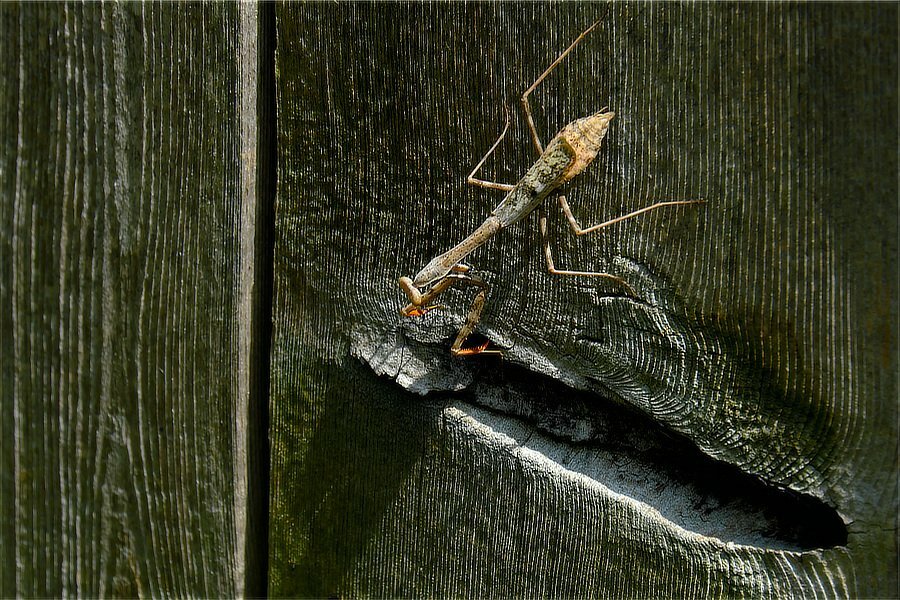
Praying Mantis (Mantodea)
-
1) Yes, that is how it works, otherwise there is no need for the app. You should be able to control other settings such as shutter speed, f stop, etc. by clicking on those icons lower down in the app, as long as it is not a manual lens. 2a) You should be able to see all of the images you took while using the app, these are stored on the card, so you are seeing some of what is on the card. 2b) Seeing every image on the card including the ones not taken using the app or while using the card in another camera is more suited for the image transfer apps. Doing that in this app would mean sending potentially a lot more info back and forth between the camera and the app which, if you are using a large card, could really bog things down. p.s. Welcome to the forum.
-
Question of using Fringer NF/FX adapter on X-H2S.
jerryy replied to Janne Alavahtola's topic in Other Fuji X Accessories
I also use the Canon version with a Tamron 150-600 f6.3, it is nice and smooth. -
Question of using Fringer NF/FX adapter on X-H2S.
jerryy replied to Janne Alavahtola's topic in Other Fuji X Accessories
There is a person that goes by the user name Morris posting on another site that uses this very combination to get really good wildlife images. He explains his setup here: https://www.fredmiranda.com/forum/topic/1772910 p.s. Welcome to the forum. p.p.s. This might interest you as well: https://www.fujirumors.com/sigma-23mm-f-1-4-and-sigma-100-400mm-f5-0-6-3-for-fujifilm-x-officially-announced-reviews-and-pre-orders/ -
It is far more likely something that was overlooked rather than being deliberately sacrificed. These camera are computers connected to lenses, anticipating every outcome to every option is hard to do even when the number of options is very limited. Every camera manufacturer issues firmware update to fix unforeseen issues. Fujifilm does listen to requests and feedback. Today, they updated their X-App, the app for controlling some cameras from smartphones and tablets. The update removed needing Location always on. This is something many people requested. Depending on which region you live in, Fujifilm lists ways to contact them. If you dig far enough, you can find the contact information for each region, including Japan, here is one for U.S. based customers: https://fujifilm-x.com/en-us/repair-and-product-support/#contact_us Try writing a letter explaining the issue, along with a means to fix it (have a menu option to turn it on or off) that lets everyone use it as they wish. If enough people raise the issue, making changes gains priority over other options. I suggest politeness; conspiracy laden rants, regardless of how well intentioned or fact based, will not get your message warm receptions.
-
So? If you do just that, point the camera, look through the view finder and get the rough idea the camera is pointed in the right direction, push the rear command dial, you get the zoomed (magnified) view, focus to your heart’s content and then half press the shutter button. As I mentioned, the magnified (zoomed) view goes back to full size view. The focus is set, it should not change any more or less in the few moments you take to re-check the composition and then get the shot. This is the basic focus and recompose technique only using a manual focus lens instead of an auto focus lens. The shutter half press clears the extraneous displayed items except, in your X-T5’s case, the still present peak highlight dancing dots. Those dancing dots being there are not going to change the focus, so you should be able to get the shot. This is close to what you asked for in your initial posting. Do you really think that some group of folks are sitting around maliciously plotting ways to mess up the lives of the people they are depending on to buy their products? Especially with such excellent products being released by their competitors? Maybe take a break and get some air, your postings read like ranting from the person sitting at the corner table muttering into their drinks and every now and then yelling out at the sky.
-
Some folks prefer using the rear command dial to cycle through the MF Assist choices instead of scrolling through set-up menus. That method has been available for many camera bodies for a very long time, it works that way on my X-T10. Are you not able to, In manual focus mode, focus zoom, fine tune things and then half press the shutter button to zoom back to the full screen and get the shot? The X-T5 offers even more ways to do this than does older bodies. Or, not able to use any of the older film camera methods outlined here?: https://www.jmpeltier.com/fujifilm-manual-focus-assist-modes/ Macro shooters got together and lobbied to get a change that helped them, it does have a (perhaps unintended, unanticipated — beta testers do not catch everything) consequence on others, people it affects can also lobby to get changes as well.
-
Yes, yes you can, either through turning it off in the MF Assist set-up menu or by repeatedly long pressing the rear command dial to cycle through the MF assist options — the “off” option will either be called off or standard depending on which camera body you have.
-
Nice! Welcome to the forum.
-
You should be able find local sites that carry Fotodiox gear as well as Fringer gear. Or use your search engine to find Canon EF to Fujifilm XF adapter. Look up at the top for the link called Classified. It is a buy - sell section. I have not used it, but I have read other members saying it is easy to use. Best wishes.
-
Welcome to the forum. I believe that lens was / is built to mount on Canon EF mount bodies as a manual focus lens. You may be able to get it to mount (and work) on your X-T4 with a Canon EF to Fujifilm X Mount adapter. Fotodiox and Fringer, as well as other companies sell these, try to find one that passes the electrical contact information from the lens to the body — so that you can control the aperture and get the EXIF shot information. If you do not wish to try that, Zeiss sells lenses built specifically for Fujifilm X mount bodies, the line is called Zeiss Touit, there are several in that line. They are a little pricey.
-
The buttons around the main Menu / Ok button form a “ring” button. Push the menu button to get to the menus. Use the left “ring” button to move left over to the setup menus and scroll down to the first ‘wrench’ menu (some call it a ‘spanner’). Push the right “ring” button to get back over to the menu choices on the right side and scroll down to RESET and from there choose SET-UP RESET or SHOOTING MENU RESET. p.s. Welcome to the forum.
-
I do not think you will have to use a macro lens to get great shots of your jewelry, but it does not hurt. Fujifilm has three macro lenses that will work with your camera; the XF 30mm macro, the XF 60mm macro and the XF 80mm macro. The 30mm and the 60mm usually are priced about the same, you just need to check around. The 80mm is the more expensive of the bunch, you may be able to get a low priced used copy. All three lenses get decent reviews. I am going to include a link to a chart that shows how much magnification the XF lens get with Fujifilm extension tubes. Using one of those with your current lens may enough. https://dl.fujifilm-x.com/global/products/accessories/mcex/pdf/macro-extension-x-global.pdf For third party lenses, there is the Zeiss Touit 50mm macro lens, other folks may list other suggestions. p.s. Welcome to the forum.
-
Try switching from single point AF Mode to Wide. https://fujifilm-dsc.com/en-int/manual/x-t5/taking_photo/autofocus/ Scroll down to the AF Mode section. This does require quickly moving through the menus to make the change. p.s. Welcome to the forum.
-
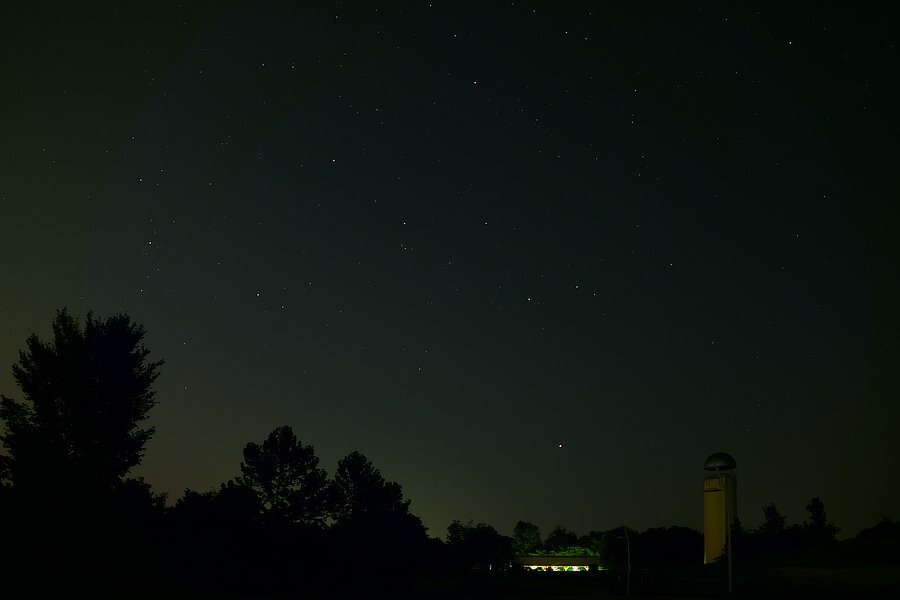
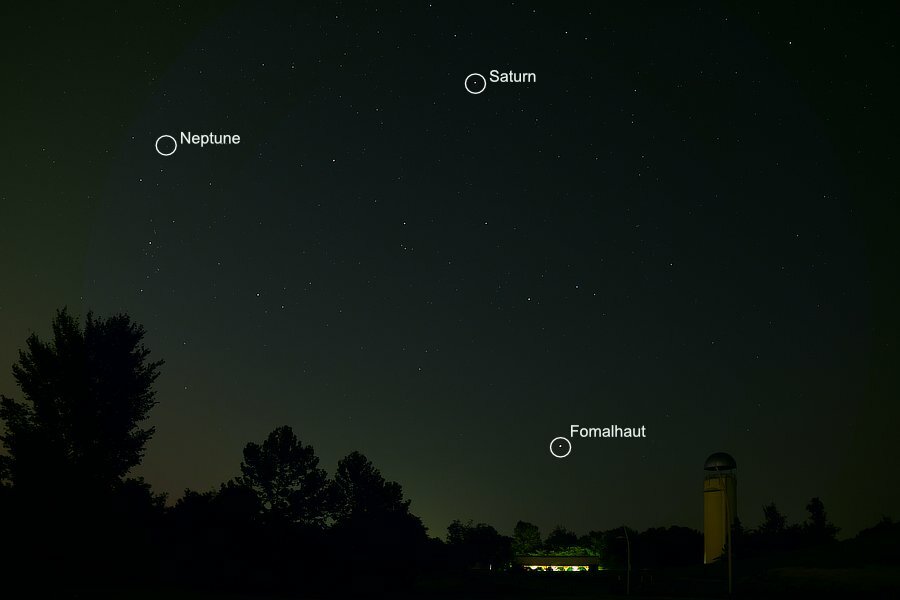
Guiding Lights... This is the equivalent of a 40 second exposure. Knowing where you are while traveling in the Northern Hemisphere these days is fairly easy if you have the comforts modern technology offers. GPS based maps rendered in nice colors on tablets and phones or standalone devices give you your location almost instantaneously. It used to be though, one used a compass based map (or some other vague directions) and at night, the North Star. But if you were traveling in southern directions, lining the North Star with your route could be troublesome. Not to worry, there is a star called Fomalhaut ("The Lonely Star") that does the job almost as well as Polaris (the North Star) does. 1) Neptune: https://solarsystem.nasa.gov/planets/neptune/overview/ 2) Saturn: https://solarsystem.nasa.gov/planets/saturn/overview/ 3) Fomalhaut: https://earthsky.org/brightest-stars/solitary-fomalhaut-guards-the-southern-sky/
-
I should mention it is possible to use CLUTs (color lookup tables) or just LUTs directly in Photoshop, so you may have some good fortune trying that. But I should also mention I have not used Adobe's software in some time, so I cannot really give you much in the way of help for doing that beyond saying that it is possible. https://photoshopcafe.com/use-luts-photoshop-install-luts-photoshop/ LUTs are similar to simulations, so if you find sources that give you the look you want, you should be able to directly use them in PS and LR. (LUTs are camera specific, so you need to find a source for GFX-100s LUTs). If you want to use your computer instead of your camera to do the conversions, Fujifilm also has the free Raw Converter software that will let you apply the simulations as you wish and export files either as TIFF or jpgs. [Some folks are going to claim this is heresy and you will be better off using LR and C1, so be it.] You can grab a copy at: https://fujifilm-x.com/en-us/products/software/raw-file-converter-ex-powered-by-silkypix/
-
Strictly staying only in the Adobe system may be tricky. There is a way to stay “close” though by only adding one step in the conversion process. Grab a copy of Fujifilm’s X Raw Studio and use it to convert the raw .RAF image to a TIFF image and import that back into the Adobe software. X Raw Studio connects to the camera and uses the camera’s hardware to convert the image instead of using your computer to do so, so the result should be as close as possible to an exact match for the raw + jpg images you are currently getting. User guide: https://fujifilm-x.com/en-us/stories/fujifilm-x-raw-studio-features-users-guide/ X Raw Studio is free, that link also lets you download it as well as giving you the installation instructions. Here is an article (a bit long-winded) about Fujifilm’s simulations: https://www.imaging-resource.com/news/2020/08/18/fujifilm-film-simulations-definitive-guide If you ever decide to venture outside of the Adobe / C1 worlds, apps such as DarkTable and RawTherapee do give you pretty good conversions. p.s. Welcome to the forum.
-
Jefferson County, Kentucky, USA
-
Jefferson County, Kentucky, USA
-
Recording 4K with Remote app - won't work? Big problem...
jerryy replied to Marko1976's topic in Fuji X Video
Perhaps you can show us an example or two where Sony's cameras have been transferring very high bit rate 4k data over b / g / n WiFi networks in real time to smartphone and tablets. p.s. Welcome to the forum.