jerryy
-
Posts
1,926 -
Joined
-
Last visited
-
Days Won
304
Content Type
Forums
Gallery
Store
Everything posted by jerryy
-
New FujiFilm XT30 Autofocus Beep Crackles?
jerryy replied to theeightsixty's topic in Fuji X-T3 / Fuji X-T30
The tricky part is whether or not there is crackling when the other sounds are played because they all use the same speaker. One thing to try (to pin down if the speaker is bad) is to turn off the mechanical shutter, turn on the electronic shutter and use each of the sound effects for the shutter sound. [This is on page 191 of the manual]. If they are also messed up, the speaker is most likely fried. -
New FujiFilm XT30 Autofocus Beep Crackles?
jerryy replied to theeightsixty's topic in Fuji X-T3 / Fuji X-T30
Have you tried changing the volume setting to see if this has any affect? Also do you notice any oddities when other sounds such as self-timer beep or shutter sound are played? -
As Herco points out, be careful about the connected camera problem in Raw Studio. Raw File Converter works with all of Fujifilm's cameras in that you export the image as a TIFF or JPG file and can always go back to original files without issue. But it does not work as well as a studio manager like Raw Studio does. Raw file conversion is still in the 'art' stage. Try several of them and see which ones do well for you. One may give you slightly warmer white balanced images while another may give you better detail in the shadows vs another that has better highlight rendering. In addition to the already mentioned ones, there is also DarkTable and Raw Therapee. These are loaded with powerful features and are great at converting. And they are free. Pluses and minuses. As you can guess from this thread, just about everyone has a favorite. If you do dig though the thread as George implies, you will find some spirited defenders whiling away the time discussing various issues about each one.
-
Fujifilm also has Raw File Converter which has the film simulations available: https://fujifilm-x.com/en-us/products/software/raw-file-converter-ex-powered-by-silkypix/ You can export the images as TIFF type files and open them in image editors. As a note: If you set your camera to save the jpegs as large / fine, then you can directly open them in Photoshop (to other editors) and make edits as you wish without worrying about degradation. The trick is to save the intermediate files as .psd -- or any lossless type of file, and use that new file to make changes and always save back to the new lossless based file. Then, when you have finished modifying things, export the final result in the format you want. The degradation cones in when you open a jpg, make changes, save that as a jpg, open it make changes, save it as jpg, etc. etc.
-

-
I take it from the way you are phrasing your question you mean a spotting scope instead of a telescope. Yes, it should work to give you some pretty good “wide field” images — these are ones like the Milky Way as opposed to “deep sky objects” — these are the ones like close ups of nebulas and galaxies. Take a look over in the Landscape section for some examples that members have posted. The spotting scope will also allow you to enjoy your bird watching hobby and get some photos as well. You will probably need to get a T2 to Fujifilm adapter to mount your camera to the scope. One note of caution, check with the adaptor maker and the scope maker to make sure the amount of back focus between the two match up or else things can get complicated, meaning everything is working but the images are blurry or non-existent. The camera lens will also give you wide-field images and bird photos, but that setup is a little more cumbersome for casual bird watching. One last note, stars and moon photos are usually long exposure shots, so you will most likely need a good tripod to keep the camera steady.
-
I do not use flash very often, but a lot of folks use Godox / Flashpoint equipment. Of course you need to read the fine print for each piece of equipment to make sure it does what you want. Also, Fujifilm has recently released the EF-60 and EF-W1 setups, so that may do what you want.
-
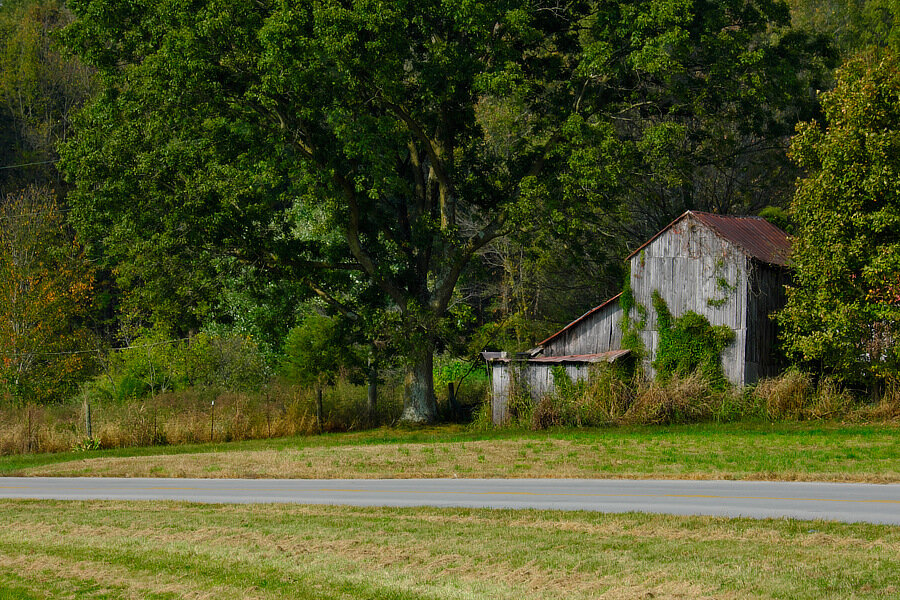
Roadside Barn
-
Fringer has released firmware updates for the second generation series: https://www.fujirumors.com/fringer-ex-fx-pro-ii-smart-autofocus-adapter-firmware-1-90-released/
-
Does the focus bounce around when you are looking through the viewfinder? If so, it probably means that the menu setting for touchscreen focusing is turned on. Turn it to off in the menu settings and the focus point should only move when you use the joystick to move it around. Turn that setting to on when you want to use the back lcd screen as the “viewfinder” and then touch the spot you want to use as focus point. This is the cellphone method for focusing.
-
quincy is showing you why the studio folks earlier were suggesting to improve the lighting so that you can use more dof (higher f stop) to get more of the bird in focus without the image turning dark or needing to push the ISO. If you do go the lighting route, you have more options in lens choices -- though that 90mm is pretty good, a lot of portrait photographers like it. But one thought about that, try to get constantly on lighting instead of flashes. If you start strobing the units to get several good shots, the birds may panic, that sudden burst of intense light is startling.
-
If you are in the US, there is a place: https://www.lensrentals.com that can help you through the mail. They have the variety discussed here that can help you decide. Just jump into the Fuji mount section and go from there, after quincy discusses with you some options.
-
Can you rent a Fujifilm 90mm F2 lens from your local camera store? It is bright, has good background blur, etc. etc. and allows you to focus from 0.6m - ∞. Samyang / Rokinon also has a manual focus 85mm f1.4 that gets good reviews and is less expensive to buy. Before you go the new macro lens route, you might also try extension tubes for your current lens.
-
You mention VLC, it has the ability to export frames built in to it, just search for VLC export frame and you can find plenty of tutorials for doing that. From the way you have written, it sounds like you are trying to view a 4k video on a 1080p monitor, which is why your screen grab may be coming out as 1080 x 1920. This thread may help! it lists some other options: https://www.dpreview.com/forums/thread/4054568
-
Can you tell us which operating system you are using? There are different options for Linux, MacOS and Windows. Usually your video editing software will have an option -- that may not be clearly labeled as to its purpose -- to allow you to export a frame. For example, scroll down to the iMovie section in this article: https://www.macworld.com/article/1154212/pullingstills.html