jerryy
-
Posts
1,926 -
Joined
-
Last visited
-
Days Won
304
Content Type
Forums
Gallery
Store
Everything posted by jerryy
-

-
Not sure if this is the only thing, but it made the situation worse: https://www.fujirumors.com/fujifilm-resumes-shipping-of-orders-after-cyber-attack/ https://www.fujirumors.com/fujifilm-refuses-to-pay-ransom-after-cyber-attack-restores-servers-and-reports-attackers-to-police/ I hope you get your camera soon!
-
-
-
Kids should be able to work with it in point and shoot mode, but the pets might have a few problems, most dog paws are too big to move the controls. Cat paws and bird claws might be capable, you will just have to try it with which ever pet you are wanting to hand the camera off to and have them grab a few frames. Most of the knocks on theX-T4’s autofocus come from trying to use lenses that are designed for stills to get videos, they just were not designed to react that way. These complaints vanished when the reviewer attached “video” lenses and tried again. If you are mainly wanting still photos, you should have no problems.
-
-
-
This may help: https://fujifilm-x.com/en-us/repair-and-product-support/#contact_us https://www.fujifilm.com/contact/ The first link is for Fujifilm in the United States, the second link gives you a listing for Fujifilm in other parts of the world. There is not really a direct “report bugs here” link. They will probably be curious as to how an unknown meta tag appears in a file.
-
Metering mode (photometry)
jerryy replied to VictorM's topic in Fuji X-E4 / Fuji X-E3 / Fuji X-E1 / Fuji X-E2 / Fuji X-E2s
According to the manual: https://fujifilm-dsc.com/en/manual/x-e3/menu_shooting/shooting_setting/index.html#metering the menu setting AF/MF SETTING > FACE/EYE DETECTION SETTING must be set to FACE OFF/EYE OFF for photometry to work, so other settings affect it. What all affects it may take a few hops, skips and jumps through the manual to find. -
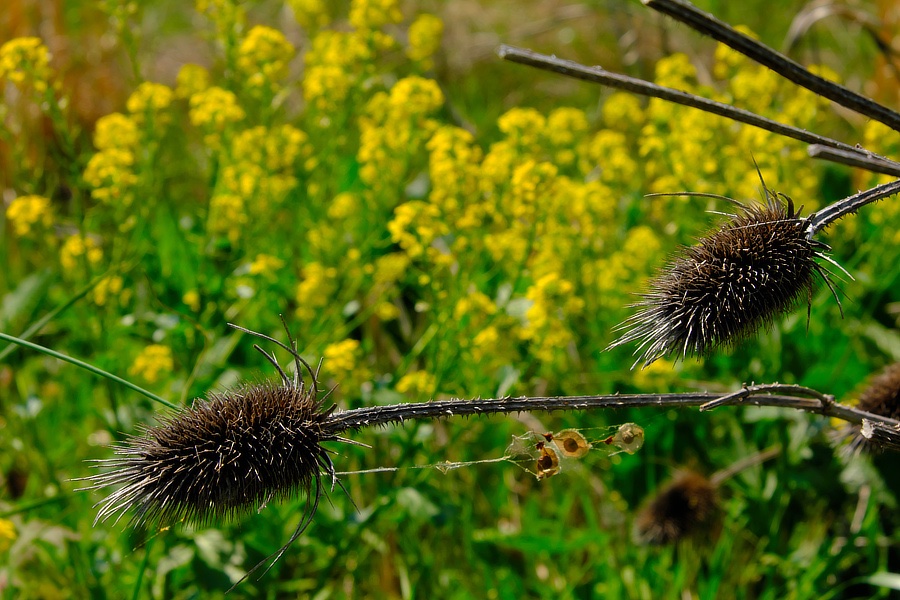
Old forest flowers protecting new forest flowers.
-
What you are describing often pops up in various forums, it is not limited to Fujifilm cameras. Try a couple more sd cards before worrying about the camera. But one thing, only format the card in the camera it is being used. Even swapping formatted cards between the same species of cameras can be problematic.
-
Why is not being asked, what is being asked. Not everything always works, but it may be possible to get the desired outcome using a different technique. So ‘what is being asked’, not ‘why’.
-
What are you wanting to use X Raw Studio to accomplish? The Raw Converter program will let you apply all of the Fujifilm simulations to the raw files. Also note the X-S10’s playback menu will let you choose a raw image and convert it in camera to a jpeg file, applying the various available settings to the conversion.
-
How about a different approach? https://fujifilm-x.com/en-us/products/software/raw-file-converter-ex-powered-by-silkypix/ This should read your compressed files and it gives you the means to convert them to other formats (TIFF, JPEG) as well as make a lot of other edits; tone, white balance, fulm simulation, orientation, cropping, etc. before the conversion. Since you are on a Mac, you can set the camera menu’s PC Connection Mode to USB CARD READER, connect the camera to your Mac and use Image Capture to copy the files to your computer’s drive.
-
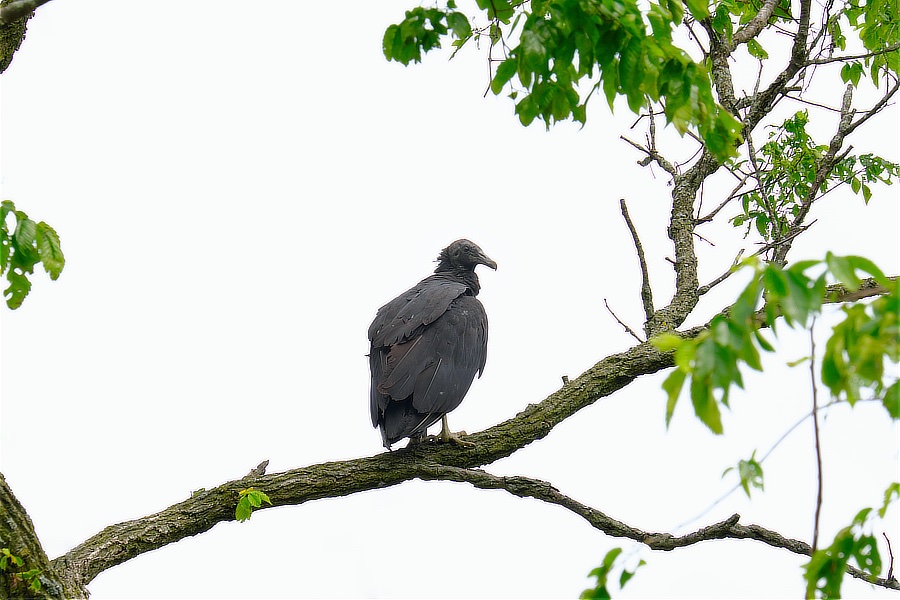
Black Vultures (Coragyps atratus)
-
Get a card reader and you should be okay. Of course, test things a couple of times before going on that big shoot.
-
The 29.97 number comes from the old days of broadcast television. It was a means to allow color tv to work with the previous black and white broadcasts and not make everyone have to go buy a new tv until they wanted to. It was called theNTSCstandard. This changed in the US a few years back when the entire over the air broadcasting went digital. Other countries (Europe) went with the PAL standard of 25 frames per second. This may help explain: https://petapixel.com/2016/10/05/know-cameras-shoot-29-97fps-not-30/ If you know of any older video folks they can tell you hair curdling tales of problems they would face in trying to convert the older video into the newer standards. 🤢 For the most part, you will be okay using 29.97 or 30 frames per second. Today’s software usually have no problems converting between the two.
-
Arcturus Arcturus’ bright light was used to open the 1933 World’s Fair in the host city Chicago, Illinois (USA). Back then, people thought Arcturus was 40 light years away from Earth, so it was chosen to go along with the 40th anniversary of the previous Chicago World’s Fair in 1893. https://chicagology.com/centuryprogress/1933fair54/ https://www.space.com/22842-arcturus.html
-
Still more forest flowers:
-
Have you tried the 'hard' reset (write down the list of your current settings, pull the batteries out, set it on a shelf for several days and resist the urge to check on it until after several days go by -- several meaning at least four instead of three)? The 'hard' reset option usually causes all the settings to go back to the out-of-the-box factory settings. There is a small chip on the camera board that stores the settings, it is powered by the main battery which is backed up by a capacitor that powers the chip for a short time when the main batteries are pulled out, such as when you swap them out. Once the capacitor is drained, (this can take a while) settings are supposed return to factory fresh defaults. If that option fails, the settings chip may need a visit to your camera dealer's repair shop.
-
It could be the GFX just does not want to work with that older type cable. Try it with a different newer cable. But it does sound like your C - C cable is working.
-
I have a small typo (mistake) in that I should have written the white ends are originally USB 1.0, but many manufacturers use it for USB-2.0. this may help: https://www.geeksinphoenix.com/blog/post/2014/01/12/How-to-tell-what-type-of-USB-connector-you-have-by-color.aspx Check your menu settings, for PC Connection Mode. It sounds like you have it set to USB RAW CONV. / BACKUP RESTORE -- this is what it should be to copy the settings to your computer. To transfer images, set it to USB CARD READER, then some of your programs will be able to transfer the images.
-