

Jackalized
-
Posts
22 -
Joined
-
Last visited
-
Days Won
1
Reputation Activity
-

 Jackalized got a reaction from kitsunekuma in Lightroom/ACR - free ClassicChrome profile (.dcp) for X-Pro1 & X-E1!
Oh, my first posting in this forum
I have something to share with you guys & gals.
I made a .dcp color profile for Lightroom and Adobe Camera Raw where I basically tried to reverse engineer the Classic Chrome simulation to have it available for my X-E1 and X-Pro1.
To install it, copy the .dcp file/files to:
Windows: /User/[your username]/AppData/Roaming/Adobe/CameraRaw/CameraProfiles/
Mac: /Users/[your username]/Library/Application Support/Adobe/CameraRaw/CameraProfiles/
It should appear under the Camera Calibration tab as a profile with the name "Camera Classic Chrome (Homebrew)"
Have fun, and feel free to post some examples
-> Download the X-E1 Version <-
-> Download the X-Pro1 Version <-
Download V5.1 (published 16.02.2016) here:
Classic Chrome Homebrew V5.1 for X-E1
Classic Chrome Homebrew V5.1 for X-Pro1
Classic Chrome Homebrew V5.1 for X100
Classic Chrome Homebrew V5.1 for X100S
Classic Chrome Homebrew V5.1 for X-T1
Edit: links updated (dropbox killed all links to the 'public' folder)
-
 Jackalized got a reaction from kimcarsons in Mitakon, Metabones, Roxsen, Camdiox, focal reducers, share your experiences.
Nikon Series-E 50mm f1.8 works great on a LensTurbo II
both shot at f2.0
-
 Jackalized got a reaction from Curiojo in Looking for a lens to get 'real' 35mm
Not true at all. Perspective distortion depends only on distance, not focal length. You can make a test, put a camera on a tripod, shoot a frame with a wide-angle lens, change the lens to a tele then shoot another frame. Take the first frame and crop it to the same framing as the tele shot. I can guarantee you that both pictures will have the same perspective. A 23/24mm on an aps-c sensor will look completly identical to a 35mm on full frame (depth of field will be different with the same apertures though).
-
 Jackalized got a reaction from Sueco in Lightroom/ACR - free ClassicChrome profile (.dcp) for X-Pro1 & X-E1!
Oh, my first posting in this forum
I have something to share with you guys & gals.
I made a .dcp color profile for Lightroom and Adobe Camera Raw where I basically tried to reverse engineer the Classic Chrome simulation to have it available for my X-E1 and X-Pro1.
To install it, copy the .dcp file/files to:
Windows: /User/[your username]/AppData/Roaming/Adobe/CameraRaw/CameraProfiles/
Mac: /Users/[your username]/Library/Application Support/Adobe/CameraRaw/CameraProfiles/
It should appear under the Camera Calibration tab as a profile with the name "Camera Classic Chrome (Homebrew)"
Have fun, and feel free to post some examples
-> Download the X-E1 Version <-
-> Download the X-Pro1 Version <-
Download V5.1 (published 16.02.2016) here:
Classic Chrome Homebrew V5.1 for X-E1
Classic Chrome Homebrew V5.1 for X-Pro1
Classic Chrome Homebrew V5.1 for X100
Classic Chrome Homebrew V5.1 for X100S
Classic Chrome Homebrew V5.1 for X-T1
Edit: links updated (dropbox killed all links to the 'public' folder)
-
 Jackalized got a reaction from andy_m in Lightroom/ACR - free ClassicChrome profile (.dcp) for X-Pro1 & X-E1!
Oh, my first posting in this forum
I have something to share with you guys & gals.
I made a .dcp color profile for Lightroom and Adobe Camera Raw where I basically tried to reverse engineer the Classic Chrome simulation to have it available for my X-E1 and X-Pro1.
To install it, copy the .dcp file/files to:
Windows: /User/[your username]/AppData/Roaming/Adobe/CameraRaw/CameraProfiles/
Mac: /Users/[your username]/Library/Application Support/Adobe/CameraRaw/CameraProfiles/
It should appear under the Camera Calibration tab as a profile with the name "Camera Classic Chrome (Homebrew)"
Have fun, and feel free to post some examples
-> Download the X-E1 Version <-
-> Download the X-Pro1 Version <-
Download V5.1 (published 16.02.2016) here:
Classic Chrome Homebrew V5.1 for X-E1
Classic Chrome Homebrew V5.1 for X-Pro1
Classic Chrome Homebrew V5.1 for X100
Classic Chrome Homebrew V5.1 for X100S
Classic Chrome Homebrew V5.1 for X-T1
Edit: links updated (dropbox killed all links to the 'public' folder)
-
 Jackalized got a reaction from snype719 in Sony power vs the siren-song of Kaizen
There is no penalitly regarding the focal length, as the whole lineup of lenses is focused on the aps-c crop factor. Fuji put up a prime lens lineup equivalent to 21mm, 24mm, 28mm, 35mm (propably soon x2), 40mm, 50mm (x2), 85mm, 90mm and 135mm.
No need to think in ways of "oh, my 50mm is now equivalent to a 85mm".
Also the x-trans sensors put out a hell lot less chroma noise then every bayer sensor I've ever seen (FF or not), regardless of raw converter. Normally a small amount of chroma noise reduction (around 1 to 15 in LR or CaptureOne) gets rid of it completly. I don't care much for the luminance noise as the noise pattern looks pleasant to me (before Fuji I've shot only film, I absolutly detest chroma noise and I like grain). High isos are still very detailed and sharp, there's no banding at all.
-
 Jackalized got a reaction from Patrick FR in Lightroom/ACR - free ClassicChrome profile (.dcp) for X-Pro1 & X-E1!
Oh, my first posting in this forum
I have something to share with you guys & gals.
I made a .dcp color profile for Lightroom and Adobe Camera Raw where I basically tried to reverse engineer the Classic Chrome simulation to have it available for my X-E1 and X-Pro1.
To install it, copy the .dcp file/files to:
Windows: /User/[your username]/AppData/Roaming/Adobe/CameraRaw/CameraProfiles/
Mac: /Users/[your username]/Library/Application Support/Adobe/CameraRaw/CameraProfiles/
It should appear under the Camera Calibration tab as a profile with the name "Camera Classic Chrome (Homebrew)"
Have fun, and feel free to post some examples
-> Download the X-E1 Version <-
-> Download the X-Pro1 Version <-
Download V5.1 (published 16.02.2016) here:
Classic Chrome Homebrew V5.1 for X-E1
Classic Chrome Homebrew V5.1 for X-Pro1
Classic Chrome Homebrew V5.1 for X100
Classic Chrome Homebrew V5.1 for X100S
Classic Chrome Homebrew V5.1 for X-T1
Edit: links updated (dropbox killed all links to the 'public' folder)
-
 Jackalized got a reaction from blessingx in Lightroom/ACR - free ClassicChrome profile (.dcp) for X-Pro1 & X-E1!
Oh, my first posting in this forum
I have something to share with you guys & gals.
I made a .dcp color profile for Lightroom and Adobe Camera Raw where I basically tried to reverse engineer the Classic Chrome simulation to have it available for my X-E1 and X-Pro1.
To install it, copy the .dcp file/files to:
Windows: /User/[your username]/AppData/Roaming/Adobe/CameraRaw/CameraProfiles/
Mac: /Users/[your username]/Library/Application Support/Adobe/CameraRaw/CameraProfiles/
It should appear under the Camera Calibration tab as a profile with the name "Camera Classic Chrome (Homebrew)"
Have fun, and feel free to post some examples
-> Download the X-E1 Version <-
-> Download the X-Pro1 Version <-
Download V5.1 (published 16.02.2016) here:
Classic Chrome Homebrew V5.1 for X-E1
Classic Chrome Homebrew V5.1 for X-Pro1
Classic Chrome Homebrew V5.1 for X100
Classic Chrome Homebrew V5.1 for X100S
Classic Chrome Homebrew V5.1 for X-T1
Edit: links updated (dropbox killed all links to the 'public' folder)
-
 Jackalized got a reaction from cug in 18mm f/2 - Your experience/opinion on this lens?
What do you want to shoot with it? It's not the best lens for landscape where perfect corner to corner sharpness matters (it relies heavily on software distortion correction*).
Otherwise it's a fast and small lens perfectly suited to documentary, street, photojournalism style.
Nice rendering, smooth bokeh, sharpness-wise it's perfectly fine from wide open.
It has some problems with chromatic aberrations, it may be not well suited if your favourite photosubjects are tree branches against bright sky
It focuses fast (although it's a little bit noisy compared to other and especially newer X-lenses) and it's very flare proof (you can leave the hood at home, the only flare it cuts down are rare situations where a strong light source shines directly in something like a 80° angle on the front element).
This lens' biggest problem are pixelpeeping armchair-testchart-brickwall-photographers
*if you're using a raw converter which lets you control the applied correction, you can even use this as an advantage to counter the stretched-head-wide-angle look in the corners
some snapshots with my 18mm:
f2 near distance in seriously low light
f2 near-medium disctance in slightly better but still low light
f4 medium-far distance in low light
f4 near distance in ok light
f5.6 far distance in ok light
-
 Jackalized got a reaction from Mike K in 18mm f/2 - Your experience/opinion on this lens?
What do you want to shoot with it? It's not the best lens for landscape where perfect corner to corner sharpness matters (it relies heavily on software distortion correction*).
Otherwise it's a fast and small lens perfectly suited to documentary, street, photojournalism style.
Nice rendering, smooth bokeh, sharpness-wise it's perfectly fine from wide open.
It has some problems with chromatic aberrations, it may be not well suited if your favourite photosubjects are tree branches against bright sky
It focuses fast (although it's a little bit noisy compared to other and especially newer X-lenses) and it's very flare proof (you can leave the hood at home, the only flare it cuts down are rare situations where a strong light source shines directly in something like a 80° angle on the front element).
This lens' biggest problem are pixelpeeping armchair-testchart-brickwall-photographers
*if you're using a raw converter which lets you control the applied correction, you can even use this as an advantage to counter the stretched-head-wide-angle look in the corners
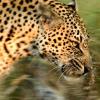
some snapshots with my 18mm:
f2 near distance in seriously low light
f2 near-medium disctance in slightly better but still low light
f4 medium-far distance in low light
f4 near distance in ok light
f5.6 far distance in ok light
-
 Jackalized got a reaction from mdm in 18mm f/2 - Your experience/opinion on this lens?
What do you want to shoot with it? It's not the best lens for landscape where perfect corner to corner sharpness matters (it relies heavily on software distortion correction*).
Otherwise it's a fast and small lens perfectly suited to documentary, street, photojournalism style.
Nice rendering, smooth bokeh, sharpness-wise it's perfectly fine from wide open.
It has some problems with chromatic aberrations, it may be not well suited if your favourite photosubjects are tree branches against bright sky
It focuses fast (although it's a little bit noisy compared to other and especially newer X-lenses) and it's very flare proof (you can leave the hood at home, the only flare it cuts down are rare situations where a strong light source shines directly in something like a 80° angle on the front element).
This lens' biggest problem are pixelpeeping armchair-testchart-brickwall-photographers
*if you're using a raw converter which lets you control the applied correction, you can even use this as an advantage to counter the stretched-head-wide-angle look in the corners
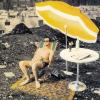
some snapshots with my 18mm:
f2 near distance in seriously low light
f2 near-medium disctance in slightly better but still low light
f4 medium-far distance in low light
f4 near distance in ok light
f5.6 far distance in ok light
-
 Jackalized got a reaction from CRAusmus in 18mm f/2 - Your experience/opinion on this lens?
What do you want to shoot with it? It's not the best lens for landscape where perfect corner to corner sharpness matters (it relies heavily on software distortion correction*).
Otherwise it's a fast and small lens perfectly suited to documentary, street, photojournalism style.
Nice rendering, smooth bokeh, sharpness-wise it's perfectly fine from wide open.
It has some problems with chromatic aberrations, it may be not well suited if your favourite photosubjects are tree branches against bright sky
It focuses fast (although it's a little bit noisy compared to other and especially newer X-lenses) and it's very flare proof (you can leave the hood at home, the only flare it cuts down are rare situations where a strong light source shines directly in something like a 80° angle on the front element).
This lens' biggest problem are pixelpeeping armchair-testchart-brickwall-photographers
*if you're using a raw converter which lets you control the applied correction, you can even use this as an advantage to counter the stretched-head-wide-angle look in the corners
some snapshots with my 18mm:
f2 near distance in seriously low light
f2 near-medium disctance in slightly better but still low light
f4 medium-far distance in low light
f4 near distance in ok light
f5.6 far distance in ok light
-
 Jackalized reacted to mdm in Fuji XF 18-135mm
you may put it in your signature so should not retype it in every post.
-
 Jackalized got a reaction from Bertie in X-Pro2 OVF Question
Viewfinder magnification change maybe? There are 2 magnification settings (one wide, one narrow), they normally change automatically depending on the focal length of the mounted lens... but you can also change them manually.
For manual changing the magnification on the X-Pro1 flip and hold the viewfinder-level for around 2-3 seconds, I don't know about the X-Pro2
The 35mm framelines in the normal magnification setting are filling most of the viewfinder window and would be quite small in the wide setting (which is fitted to be filled by the 18mm lens).
-
 Jackalized got a reaction from PascallacsaP in Lightroom/ACR - free ClassicChrome profile (.dcp) for X-Pro1 & X-E1!
Thanks for the feedback
I did a slight revision of the V5 version (when building the profile, I started 5 times from scratch over a couple of days... each version had several revisions). I now pushed the reds more into orange, this should get rid of the magenta tone Hector highlighted.
There are many subtle changes to hues in the genuine CC profile. It's hard to get them all right, as colors are interlinked. Change one hue und different other color tones can turn bad. I know for a fact that some slight blue tones are different in my profile compared to the original.
Download V5.1 here:
EDIT: for links, see first post in this thread
As the earlier profile, it's based on the X-Trans-I sensor. But works quite well for the X-Trans II (it seems that the base color characteristics of both sensors are very similar). I don't know how it will look applied to X100 files.
Thanks to my friend Nico Janssen for supplying me with tons of OOC ClassicChrome photos + their RAW files.
-
 Jackalized got a reaction from Formbox in Lightroom/ACR - free ClassicChrome profile (.dcp) for X-Pro1 & X-E1!
Oh, my first posting in this forum
I have something to share with you guys & gals.
I made a .dcp color profile for Lightroom and Adobe Camera Raw where I basically tried to reverse engineer the Classic Chrome simulation to have it available for my X-E1 and X-Pro1.
To install it, copy the .dcp file/files to:
Windows: /User/[your username]/AppData/Roaming/Adobe/CameraRaw/CameraProfiles/
Mac: /Users/[your username]/Library/Application Support/Adobe/CameraRaw/CameraProfiles/
It should appear under the Camera Calibration tab as a profile with the name "Camera Classic Chrome (Homebrew)"
Have fun, and feel free to post some examples
-> Download the X-E1 Version <-
-> Download the X-Pro1 Version <-
Download V5.1 (published 16.02.2016) here:
Classic Chrome Homebrew V5.1 for X-E1
Classic Chrome Homebrew V5.1 for X-Pro1
Classic Chrome Homebrew V5.1 for X100
Classic Chrome Homebrew V5.1 for X100S
Classic Chrome Homebrew V5.1 for X-T1
Edit: links updated (dropbox killed all links to the 'public' folder)
-
Jackalized got a reaction from PascallacsaP in Lightroom/ACR - free ClassicChrome profile (.dcp) for X-Pro1 & X-E1!
I changed the 'uniquecamera' parameter to X100S here:
ClassicChrome X-E1/X-Pro1 Homebrew version for X100S
It's the same profile as above, only enabled for the X100S; I don't know how it will look, as I brewed my version based on the first generation x-trans sensor. I tried my version on X-T1 files and it looked very similar to the genuine profile, so it should be ok.
-
 Jackalized got a reaction from Casa in Lightroom/ACR - free ClassicChrome profile (.dcp) for X-Pro1 & X-E1!
Oh, my first posting in this forum
I have something to share with you guys & gals.
I made a .dcp color profile for Lightroom and Adobe Camera Raw where I basically tried to reverse engineer the Classic Chrome simulation to have it available for my X-E1 and X-Pro1.
To install it, copy the .dcp file/files to:
Windows: /User/[your username]/AppData/Roaming/Adobe/CameraRaw/CameraProfiles/
Mac: /Users/[your username]/Library/Application Support/Adobe/CameraRaw/CameraProfiles/
It should appear under the Camera Calibration tab as a profile with the name "Camera Classic Chrome (Homebrew)"
Have fun, and feel free to post some examples
-> Download the X-E1 Version <-
-> Download the X-Pro1 Version <-
Download V5.1 (published 16.02.2016) here:
Classic Chrome Homebrew V5.1 for X-E1
Classic Chrome Homebrew V5.1 for X-Pro1
Classic Chrome Homebrew V5.1 for X100
Classic Chrome Homebrew V5.1 for X100S
Classic Chrome Homebrew V5.1 for X-T1
Edit: links updated (dropbox killed all links to the 'public' folder)
-
Jackalized got a reaction from PascallacsaP in Lightroom/ACR - free ClassicChrome profile (.dcp) for X-Pro1 & X-E1!
Oh, my first posting in this forum
I have something to share with you guys & gals.
I made a .dcp color profile for Lightroom and Adobe Camera Raw where I basically tried to reverse engineer the Classic Chrome simulation to have it available for my X-E1 and X-Pro1.
To install it, copy the .dcp file/files to:
Windows: /User/[your username]/AppData/Roaming/Adobe/CameraRaw/CameraProfiles/
Mac: /Users/[your username]/Library/Application Support/Adobe/CameraRaw/CameraProfiles/
It should appear under the Camera Calibration tab as a profile with the name "Camera Classic Chrome (Homebrew)"
Have fun, and feel free to post some examples
-> Download the X-E1 Version <-
-> Download the X-Pro1 Version <-
Download V5.1 (published 16.02.2016) here:
Classic Chrome Homebrew V5.1 for X-E1
Classic Chrome Homebrew V5.1 for X-Pro1
Classic Chrome Homebrew V5.1 for X100
Classic Chrome Homebrew V5.1 for X100S
Classic Chrome Homebrew V5.1 for X-T1
Edit: links updated (dropbox killed all links to the 'public' folder)
-
 Jackalized got a reaction from dko22 in Lightroom/ACR - free ClassicChrome profile (.dcp) for X-Pro1 & X-E1!
Oh, my first posting in this forum
I have something to share with you guys & gals.
I made a .dcp color profile for Lightroom and Adobe Camera Raw where I basically tried to reverse engineer the Classic Chrome simulation to have it available for my X-E1 and X-Pro1.
To install it, copy the .dcp file/files to:
Windows: /User/[your username]/AppData/Roaming/Adobe/CameraRaw/CameraProfiles/
Mac: /Users/[your username]/Library/Application Support/Adobe/CameraRaw/CameraProfiles/
It should appear under the Camera Calibration tab as a profile with the name "Camera Classic Chrome (Homebrew)"
Have fun, and feel free to post some examples
-> Download the X-E1 Version <-
-> Download the X-Pro1 Version <-
Download V5.1 (published 16.02.2016) here:
Classic Chrome Homebrew V5.1 for X-E1
Classic Chrome Homebrew V5.1 for X-Pro1
Classic Chrome Homebrew V5.1 for X100
Classic Chrome Homebrew V5.1 for X100S
Classic Chrome Homebrew V5.1 for X-T1
Edit: links updated (dropbox killed all links to the 'public' folder)
-
Jackalized got a reaction from Mike K in Lightroom/ACR - free ClassicChrome profile (.dcp) for X-Pro1 & X-E1!
Oh, my first posting in this forum
I have something to share with you guys & gals.
I made a .dcp color profile for Lightroom and Adobe Camera Raw where I basically tried to reverse engineer the Classic Chrome simulation to have it available for my X-E1 and X-Pro1.
To install it, copy the .dcp file/files to:
Windows: /User/[your username]/AppData/Roaming/Adobe/CameraRaw/CameraProfiles/
Mac: /Users/[your username]/Library/Application Support/Adobe/CameraRaw/CameraProfiles/
It should appear under the Camera Calibration tab as a profile with the name "Camera Classic Chrome (Homebrew)"
Have fun, and feel free to post some examples
-> Download the X-E1 Version <-
-> Download the X-Pro1 Version <-
Download V5.1 (published 16.02.2016) here:
Classic Chrome Homebrew V5.1 for X-E1
Classic Chrome Homebrew V5.1 for X-Pro1
Classic Chrome Homebrew V5.1 for X100
Classic Chrome Homebrew V5.1 for X100S
Classic Chrome Homebrew V5.1 for X-T1
Edit: links updated (dropbox killed all links to the 'public' folder)
-
 Jackalized got a reaction from flysurfer in Lightroom/ACR - free ClassicChrome profile (.dcp) for X-Pro1 & X-E1!
Oh, my first posting in this forum
I have something to share with you guys & gals.
I made a .dcp color profile for Lightroom and Adobe Camera Raw where I basically tried to reverse engineer the Classic Chrome simulation to have it available for my X-E1 and X-Pro1.
To install it, copy the .dcp file/files to:
Windows: /User/[your username]/AppData/Roaming/Adobe/CameraRaw/CameraProfiles/
Mac: /Users/[your username]/Library/Application Support/Adobe/CameraRaw/CameraProfiles/
It should appear under the Camera Calibration tab as a profile with the name "Camera Classic Chrome (Homebrew)"
Have fun, and feel free to post some examples
-> Download the X-E1 Version <-
-> Download the X-Pro1 Version <-
Download V5.1 (published 16.02.2016) here:
Classic Chrome Homebrew V5.1 for X-E1
Classic Chrome Homebrew V5.1 for X-Pro1
Classic Chrome Homebrew V5.1 for X100
Classic Chrome Homebrew V5.1 for X100S
Classic Chrome Homebrew V5.1 for X-T1
Edit: links updated (dropbox killed all links to the 'public' folder)