Leaderboard


Popular Content
Showing content with the highest reputation on 06/09/2021 in all areas
-

Only Street Photography !
YOUTA reacted to Ketsada UNs for a topic
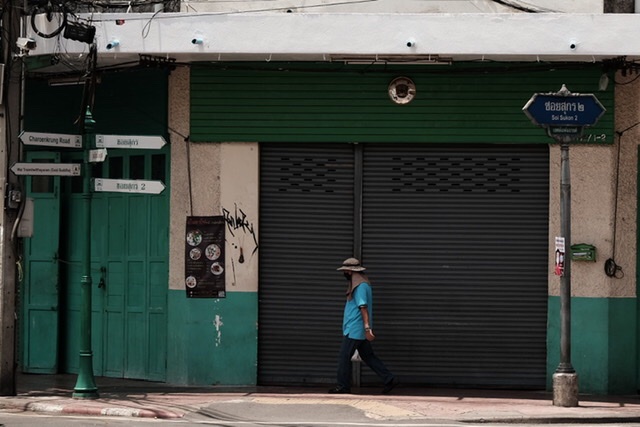
Bangkok ! 1 point
 -
1 point
-

Photos missing from sd card - but show up on/in camera.
CatsAreGods reacted to Nesheli99 for a topic
I just received an X-T3 and put my card from my X-T1 in it. Card is a Lexar Professional 2000x 32GB. After taking photos with the X-T3, they are visible in camera but not on my computer A (openSUSE Leap 15.2) I installed the silkypix RAW converter on computer B (OSX 10.11) Computer B could see all the X-T3 images. So curious I went back to computer A and selected the folder properties - show hidden files. Now I can see all the images with computer A also. Why is my X-T3 camera saving the images as hidden files? If you need to download some software that a company such as Fuji only provides the link to the latest version. Try using the 'way back machine' at archive.org. In my case they had no copy of the old software but it was possible to copy the link to where it was. Using the URL to the fuji site I could download the old version of the software from the Fuji website. The old versions are there but you cannot just guess the name of the file to download it! Nor did I have success with an advanced google search. The folder containing the software version has an encoded name that you will never guess. So use the time machine and go back a year and see what the folder was called a year ago! Anyone who thinks time machines are just imaginary go to archive.org it is amazing.1 point -

Fuji x-S10 and Fujifilm X Webcam
YOUTA reacted to NivekViking for a topic
Hi everyone, first post on the forum and I'm a four-day-old owner of an X-S10 as of this post. I didn't initially want to use this as a webcam but thought I'd check it out. This thread is full of great information and I hope to add to it. I've come to the same conclusion as everyone else: the Webcam X 2 software doesn't completely work with the X-S10. So, here comes the useful information I didn't find in the other four pages. I use Streamlabs OBS for streaming and the application recognized the X-S10 as a video source, therefore, this camera can be used as a webcam for streaming/recording. Also, something I figured out, if you adjust the settings the way you want before connecting to your PC, the camera locks in those settings (keeping in mind, these are the same settings offered in the Webcam X 2 software). The OBS application can handle any further filtering or corrections necessary. I was saddened by this entire thread, but through trial and error, got it to work for my situation. Hopefully, others in the same boat as me won't be feared by a small setback that it doesn't interact with the Webcam X 2 software. One final fun fact: when I had the camera connected in OBS and the Webcam X 2 software open, Webcam X 2 recognized my device. None of the drop downs worked, but at least it noticed the camera.1 point -
I use the Fotga NP-W126 battery coupler and it fits perfectly with a very stable connection.1 point
-
Dear all, Just wanted to thank you all for trying to make the XS-10 work as a webcam. I am extremely disappointed by Fuji. It was my first camera and I feel tricked by the company. Should have chosen a Sony. I will resort to a HDMI capture card as well. Seems like the only option. Thank you all for your advice.1 point
-

Fuji x-S10 and Fujifilm X Webcam
YOUTA reacted to CatsAreGods for a topic
Well, even Canon is now selling (expensive!) "webcam kits" that basically set you up with a dummy battery and power supply to get around this. I expect that someone will soon come up with a product or 3D print design that will do the same for Fujifilm...maybe even Fujifilm.1 point