


jw432
-
Posts
234 -
Joined
-
Last visited
-
Days Won
14
Content Type
Forums
Gallery
Store
Everything posted by jw432
-

From the album: Random/Anything
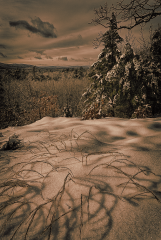
Two pics taken with x-e3, one tone mapped, going for SciFi/Fantasy look, all mods made in Affinity Photo© Jon Willard
-
Very unusual face
-

-
-
Dynamic Range Bracket; In-Camera - Can you explain to me?
jw432 replied to jw432's topic in General Discussion
Great! Thanks graflex! I will switch up my iso and give it a try. Based on what you are saying, the DRB had no affect because I was shooting on iso 200. -

-

-
Dynamic Range Bracket; In-Camera - Can you explain to me?
jw432 posted a topic in General Discussion
Hi all, and thanks in advance for what I am sure will be a great answer. Still loving my new x-e3 and learning all the details. I still don't understand the in-camera Dynamic Range Bracket and what I can do with it. I've done a number of Exposure Brackets and played with HDR in Affinity Photo and once I get my tripod I'm gonna play with some focus stacks too. But I don't know what to do with DRB. I turned it on and took a picture, albeit of my living room - with probably a low dynamic range. All three pictures look the same to my eye and when I exported and diffed the exif data, the only differences were in the date/time and sequence numbers, so what did I really get from that? Is there a way to use DRB to create an interesting photo in the same way that AE Bracketing or focus stacking can? Does DRB make a bigger difference for say sunsets? Would I get a better result to take a number of AE brackets and combine them with a number of DRBs? I have tried searching for this but all the hits want to discuss HDR techniques with no mention of DRB in-camera. If in fact there is something interesting going on with DRB, would I take the bracket exposure and stack or merge them in Affinity or would I simply pick the best one? Thanks! -

-
From the album: Random/Anything
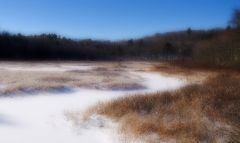
Just learning something new - for me - the Orton effect, this natural spot caught my eye for tone and texture and just seemed to want some softening. The effect seems to present a different experience of blurriness at different size levels on different devices© Jon Willard
-
 Ascend to the light. Very nice
 -

From the album: Random/Anything
This caught my eye for the simplicity, contrast and structure. The leaf looks similar to a circular saw blade and it the darkness under the leaf contrasts with the blown out white at the bottom which in turn plays off the dark left vertical. At least that's how it works for me ;-)© Jon Willard
-

From the album: Random/Anything
This real photo is composed of 2 or more elements. I won't give them away here. if you want to guess or think you know, I would be happy to answer if you contact me. Now when I say 'real' there has been some post processing done only to enrich the colors and it was cropped (as I am wont to do with most photos) but this is basically a real shot with the same simple adjustments I might do for any other landscape/pet/etc photo© Jon Willard
-

From the album: Random/Anything
© Jon Willard
-
 Very nice!
 -
So for responding to my own post, I just found a related image, Seems to be related to geo tagging, perhaps geo tagging error? The manual shows #41 as geo tagging icon in a different location on the screen, so perhaps this is a geo tagging error?
-
What is this blinking red icon on the EVF/LCD? I cannot find it in the manual.

-

From the album: Random/Anything
Just a snapshot with some HDR, converted to B&W with selected color tossed back in, fairly gently.© Jon Willard
-

From the album: Random/Anything
© Jon Willard
-

From the album: Random/Anything
© Jon Willard
-

From the album: Random/Anything
© Jon Willard
-
Thanks JYC2! Got that working now. I knew it had to be easy. It's been a decade since I used a more sophisticated camera so I have to re-remember/re-discover a few things and I'm new to Fujifilm too.
-

From the album: Random/Anything
© Jon Willard
-

From the album: Random/Anything
B&W, Structure with a twist. Make sure you zoom in to appreciate the complete structure© Jon Willard

