Rixy
-
Posts
6 -
Joined
-
Last visited
Rixy's Achievements





-
Is FULL manual focus mode on X-T20 in video mode even possible?
Rixy replied to JPMadden's topic in Fuji X-T2 / Fuji X-T20
I'm disappointed no-one has replied to you and have only picked up viewing the forum again since someone replied to my post. The short answer is Yes. I've just tried my X-T20 in manual mode. (the switch on the front plate set to "M"). MF is shown in the viewfinder and the distance scale (which I have enabled) shows that I can change the focus while the video is being recorded. I cannot think what you are doing differently but as you now know that it is possible perhaps it will give you encouragement to explore further. Best of luck. -
Heres a section from my booklet Fujifilm X-T20 Tips which is free on the Apple Book Store: 1.5 Focus Point Selection in Single Point or Zone mode size The focus point can be selected in 4 different ways: Firstly, by touching the screen if Touch Screen mode is turned on Secondly by pressing the button assigned to Focus Area and then using the selector buttons The button is assigned by the menu: Set Up > Button/Dial Setting > Fn/AE-L/AF-L Button Setting/Dial Setting > or directly by pressing and holding that button. Thirdly by using the menu: AF/MF > Focus Area and then using the selector buttons Fourthly by using the selector buttons immediately if they have been made permanently active by assigning them with: Set Up Menu > Button/Dial Setting > Selector Button Setting> Function or Focus Area. Note: When set from Function to Focus Area they store whatever function was set to them if ever they are switched back to Function. When the selector buttons have been made active by whatever means, touching the Disp/Back button centres the focus point and rotating the Rear Command Dial changes the frame size. Pressing the dial restores the original size.
-
zoom lens 55-230 Largest Zoom Possible for X-T20
Rixy replied to allatonceallthetime's topic in Fuji X-T2 / Fuji X-T20
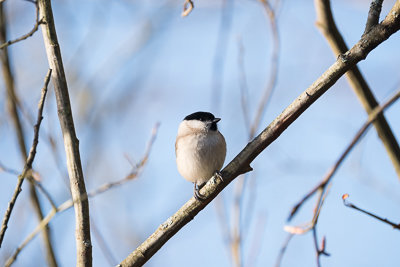
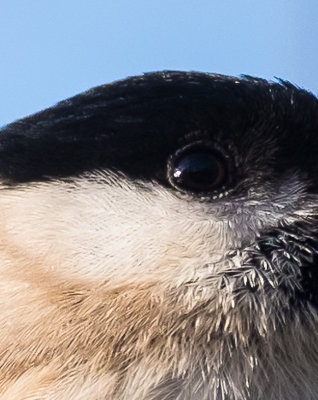
This photo was taken with the 100-400mm plus 1.4 teleconverter. Full frame and cropped to show detail. (each 400x400 pixels). When there is shrubbery manual focussing is required which is difficult to do as the lens is quite heavy hand held but the OIS is superb.
-
Its unfortunate, Emilio that you don't have an Apple device as the Apple books version has Hyperlinks built in to the script allowing you to jump back and forth through the book to associated topics. This forum only allows file sizes of 0.98 MB as attachments and the pdf file for version 2, as yet unpublished at 24 double pages, is over 38 MBs so I do not know how to help you. I recently deleted my Dropbox account as I found that I wasn't using it, as I sent large files directly with Apple Mail Drop This is done via email without having to post the file to the cloud and then sending a link; however this requires an email address.
-
If your camera is an X-T20 then the auto-focus switch is on the front lower right (when looking at the front of the camera) and the shutter dial via the top plate while the aperture controls depend on the lens attached but usually via the lens ring. You may wish to download my free booklet from the Apple store "Fujifilm X-T20 Tips" which explains in a slightly different way to the manual how these controls work.
-
Anyone having issues reading card media in MacOS 10.15 Catalina?
Rixy replied to steveblue's topic in Fuji X-T2 / Fuji X-T20
Catalina introduced a new level of security. Try this: System Preferences > Security & Privacy, Privacy Tab Scroll down to Files and Folders and look for Lightroom If removable Volumes is not ticked then this is the probable cause of the problem - tick it. You MUST then click the lock (lower left) and put in your password else the change will not be registered. (I may have to put this in my booklet Fujifilm X-T20 Tips, free from Apple store) regards Rixy