Oliver111
-
Posts
9 -
Joined
-
Last visited
Oliver111's Achievements






-
Screen Flickering Issue When Connecting Monitor
Oliver111 replied to ksfsivre's topic in Fuji X-H1 / Fuji X-H2s / Fuji X-H2
Have you tried turning off the eye sensor? -
 Oliver111 reacted to a post in a topic:
compressed RAW artifacts XH2S
Oliver111 reacted to a post in a topic:
compressed RAW artifacts XH2S
-
Oliver111 reacted to a post in a topic:
compressed RAW artifacts XH2S
-
compressed RAW artifacts XH2S
Oliver111 replied to Oliver111's topic in Fuji X-H1 / Fuji X-H2s / Fuji X-H2
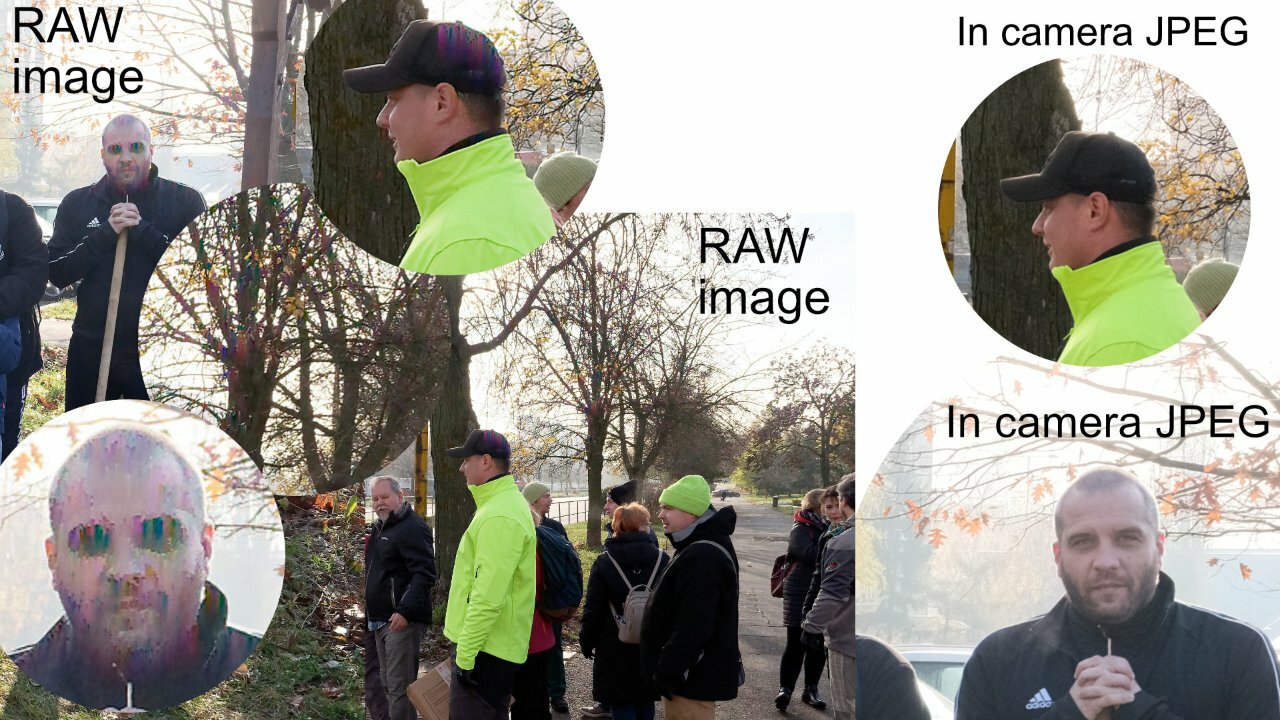
< Can you post a link to the other raw - where X Raw Studio appears to avoid the artefacts? > Those artifacts apparently only appear when using < compressed raw > under certain circumstances, a lot of the photos I took that day are fine. All photos from that particular location and angle have the same problem (strong backlight). -
compressed RAW artifacts XH2S
Oliver111 replied to Oliver111's topic in Fuji X-H1 / Fuji X-H2s / Fuji X-H2
The answer to this problem is to not use compressed RAW. I see that there are 3 choices uncompressed, lossless compressed and compressed which I use -
compressed RAW artifacts XH2S
Oliver111 replied to Oliver111's topic in Fuji X-H1 / Fuji X-H2s / Fuji X-H2
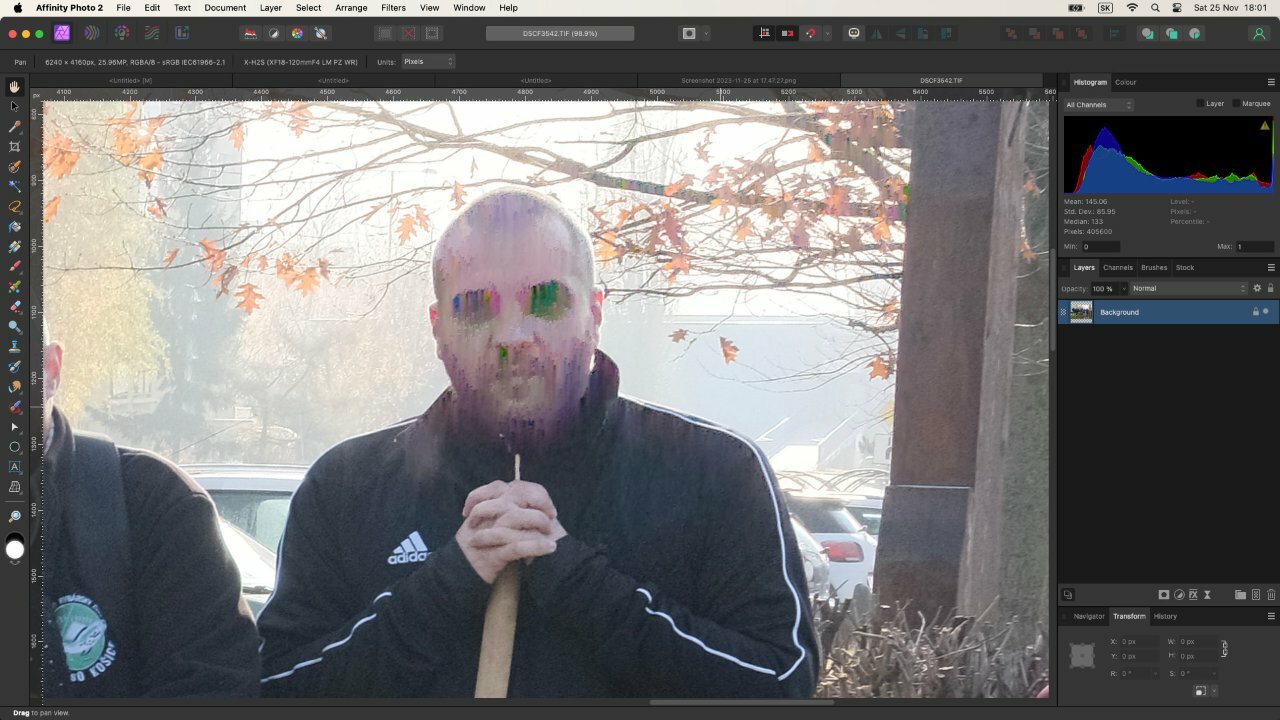
I tried to convert raw directly in fuji xh2S to tiff, this is the result
-
compressed RAW artifacts XH2S
Oliver111 replied to Oliver111's topic in Fuji X-H1 / Fuji X-H2s / Fuji X-H2
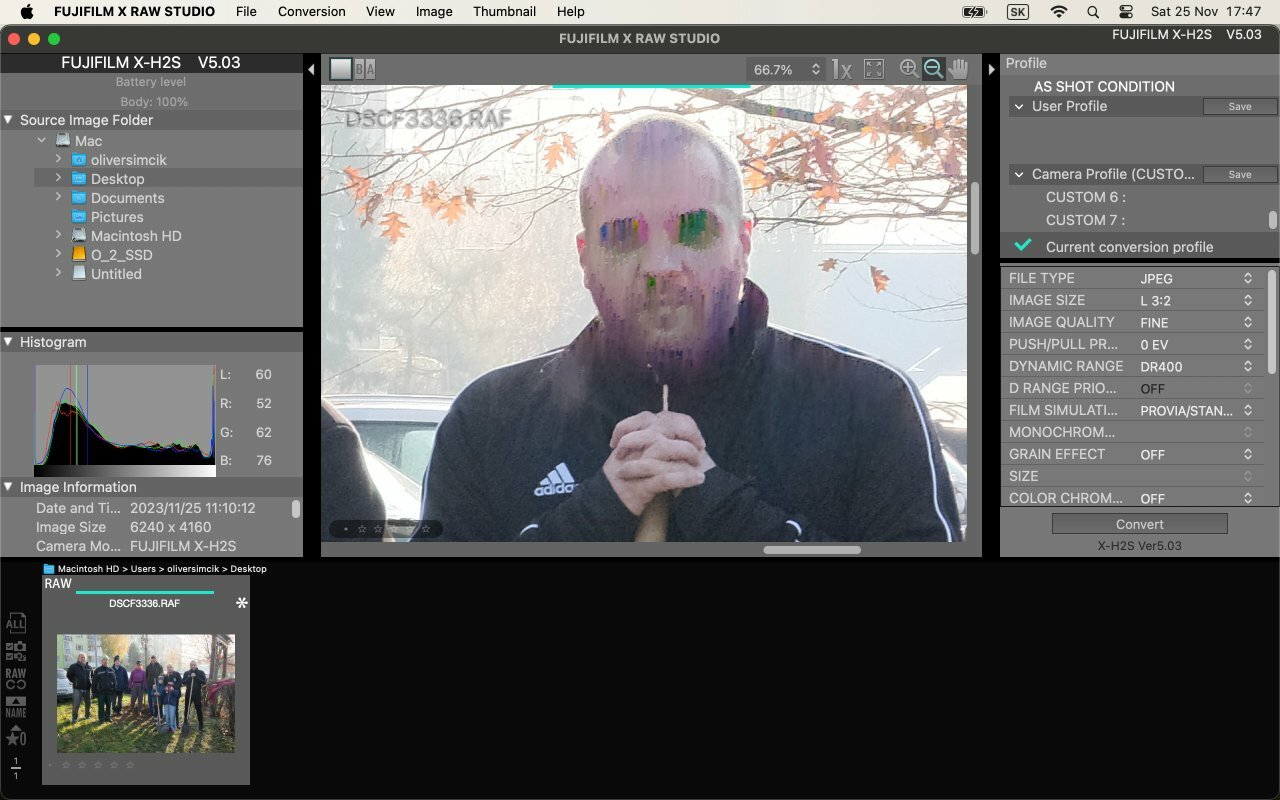
now I've figured out how it works FUJIFILM X RAW Studio, you must have connected camera to computer , this is result.
-
compressed RAW artifacts XH2S
Oliver111 replied to Oliver111's topic in Fuji X-H1 / Fuji X-H2s / Fuji X-H2
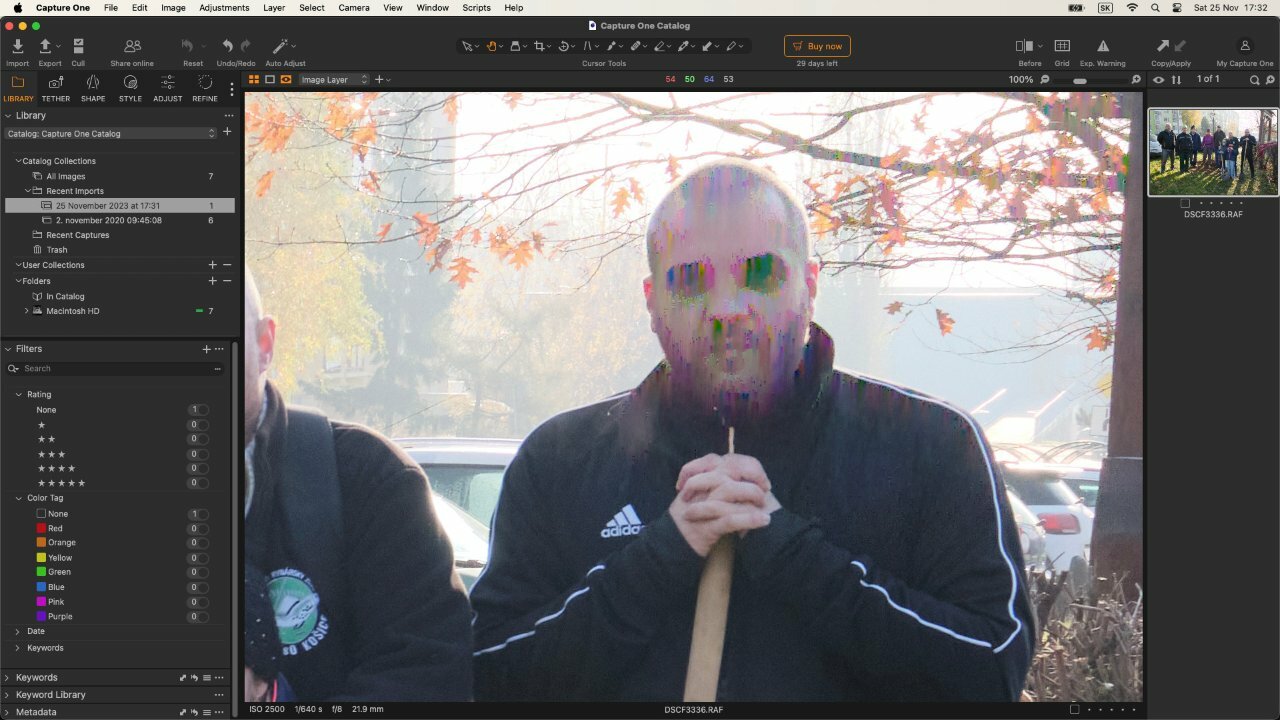
capture one
-
compressed RAW artifacts XH2S
Oliver111 replied to Oliver111's topic in Fuji X-H1 / Fuji X-H2s / Fuji X-H2
a -
This problem has happened to me before, also on another production. I can't explain the reason, so I'm bringing it to your attention here. But the interesting thing is that the JPEG image is fine. I took a compressed RAW+small JPEG. Photo of the original compressed RAW+small JPEG on the link ( https://e.pcloud.link/publink/show?code=kZYB9DZtmM9s4g5CHhj9PAGaVLKqzbi0qjk ). I am also attaching the link of another user with the same problem ( https://www.dpreview.com/forums/thread/4703673 ). I used DXO Photolab 6, Affinity photo for RAW conversion, same result.
-
Hi, i want to point out this little feature that is very helpful in some situations and is missing in fuji playback mode. For example when you are in the field and you want to check clip duration of interview or something. Only way to check duration now is play video to the end to see the duration of the clip. If there is someone competent here, you can move this request for the next firmware update thx :)