I have quite recently received my first Fujifilm camera, the X-E3, and I am generally very pleased.
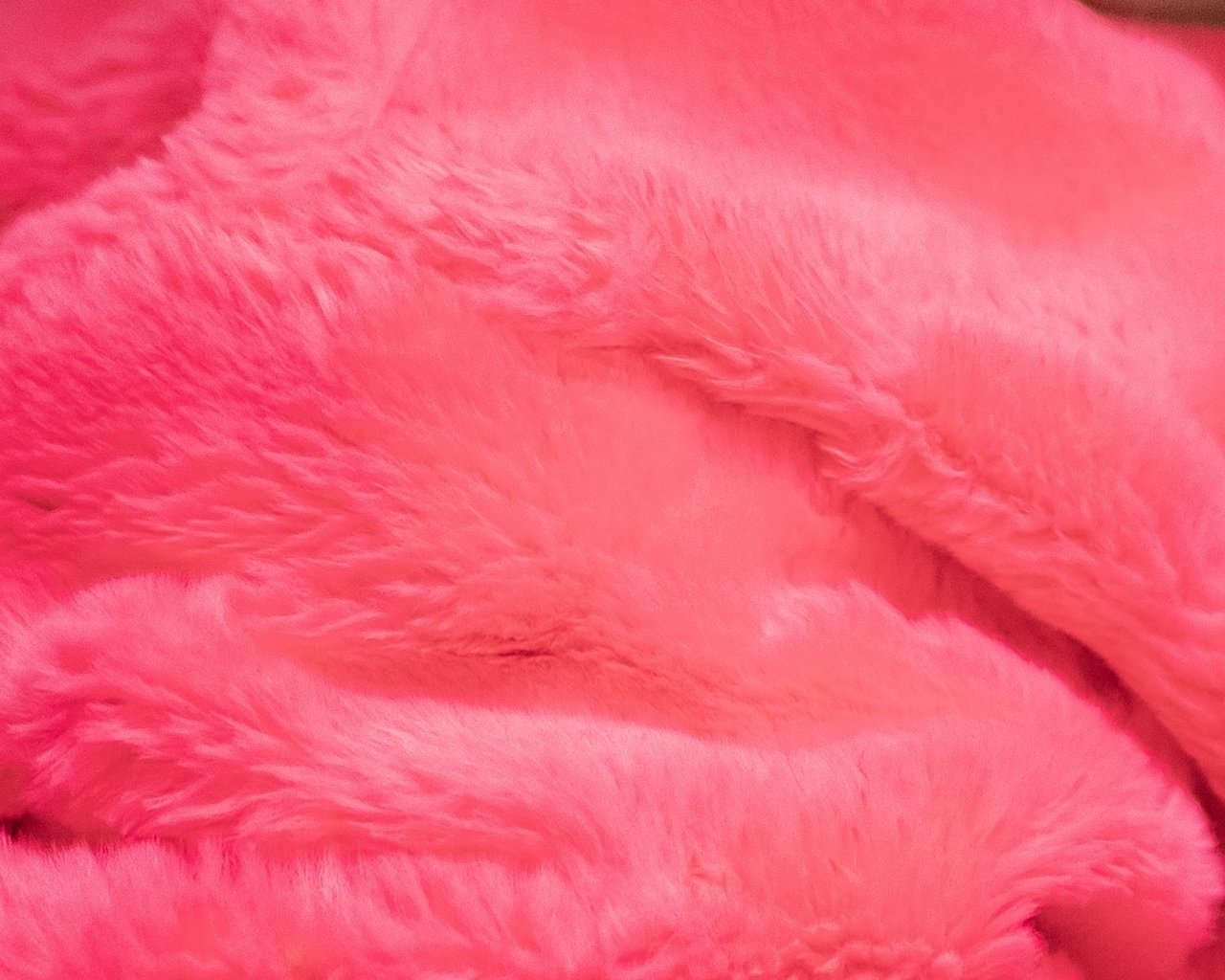
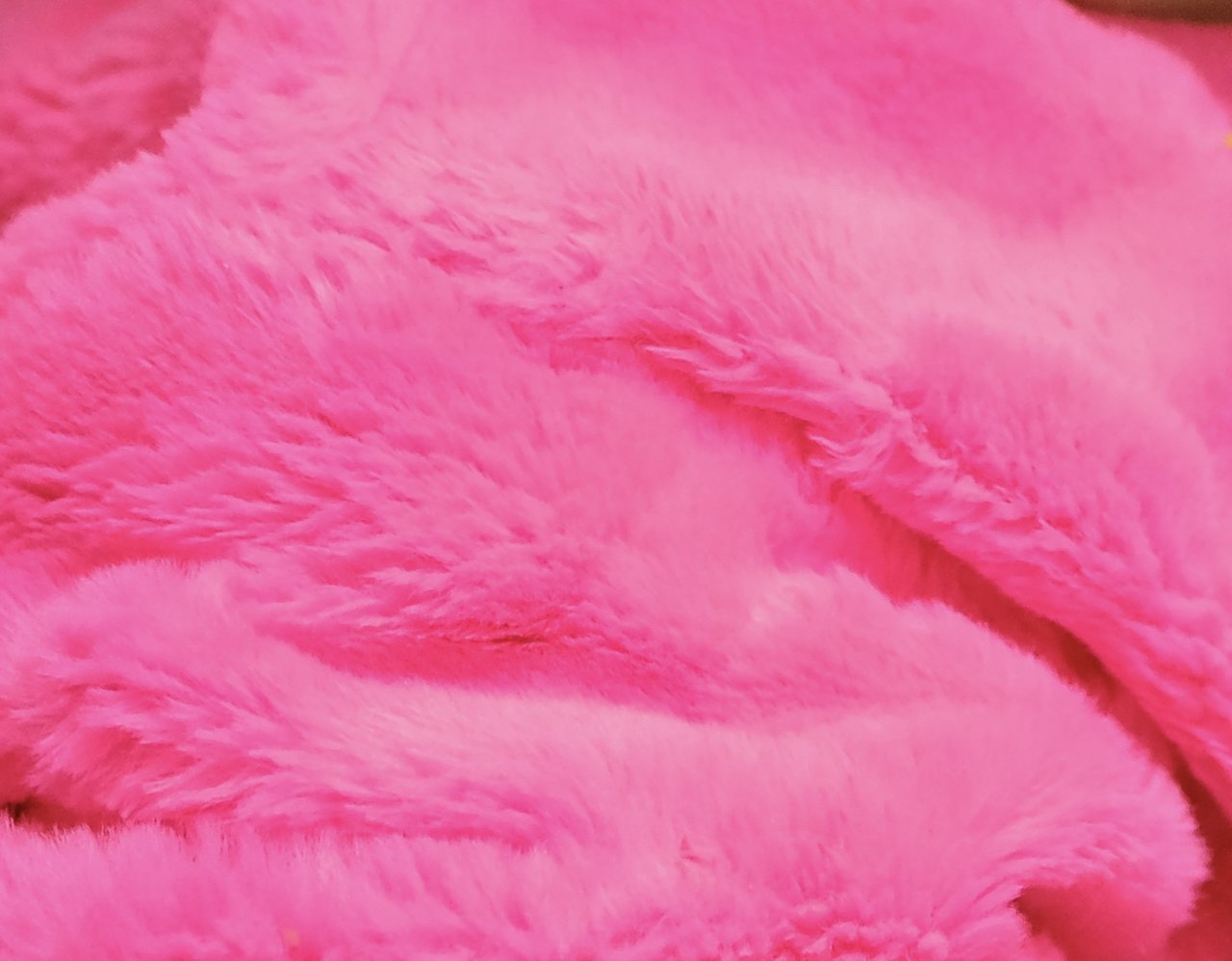
After some experimenting I was able to produce pretty good out of camera JPEGs (which are rendered beautifully, especially with the HDR option toggled) and usually don’t need to edit the RAW files on Lightroom anymore, but couldn’t help but notice that with high-saturated objects, the JPEGs are distorting the color and losing some shades - in oppose to the same image edited in Lightroom with the Adobe Color profile. When using the camera specific profiles in Lightroom I receive similar results to the in camera JPEGs. I was using the sRGB color option instead of Adobe Color, but I don’t believe it has nothing to do with the difference.
The first image below (red-ish) is more color accurate than the second one (pink-ish). It was rendered in Lightroom. If anybody knows whether there is a way to render color accurate in camera JPEGs or the reason for the difference, I would really like know. I am using my iPhone X screen as a monitor here, but I don’t believe that a professional monitor would show much different results.
Thanks,
Joe